Java Decompiler 1.1
Описание
Этот плагин позволяет Total Commander декомпилировать и просматривать структуру java-файлов .class. Это архиваторный плагин, то есть в такие файлы можно «заходить» как в архивы.Но... ведь .class-файл не является архивом?
Верно, файлы .class НЕ содержат других файлов. Однако этот плагин «взламывает» интерфейс архиваторов TC так, что class-файлы выглядят как архивы, содержащие всё из перечисленного:
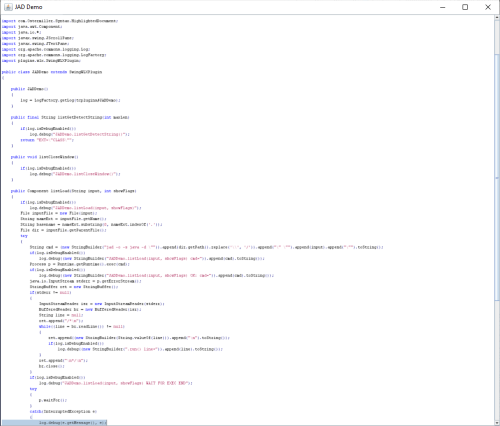
- файл «classname.java», который можно просмотреть (F3) или скопировать (F5). Это java-код, полученный декомпиляцией class-файла
- список каталогов, представляющих все методы, поля, конструкторы, вложенные классы и интерфейсы класса. Так можно очень быстро оценить структуру класса
- ещё несколько каталогов, показывающих системные свойства и переменные окружения (эта информация напрямую не связана с классом, но может пригодиться)
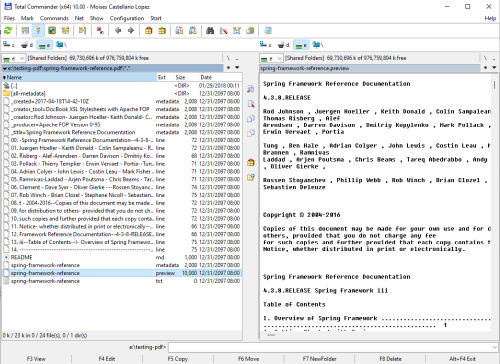
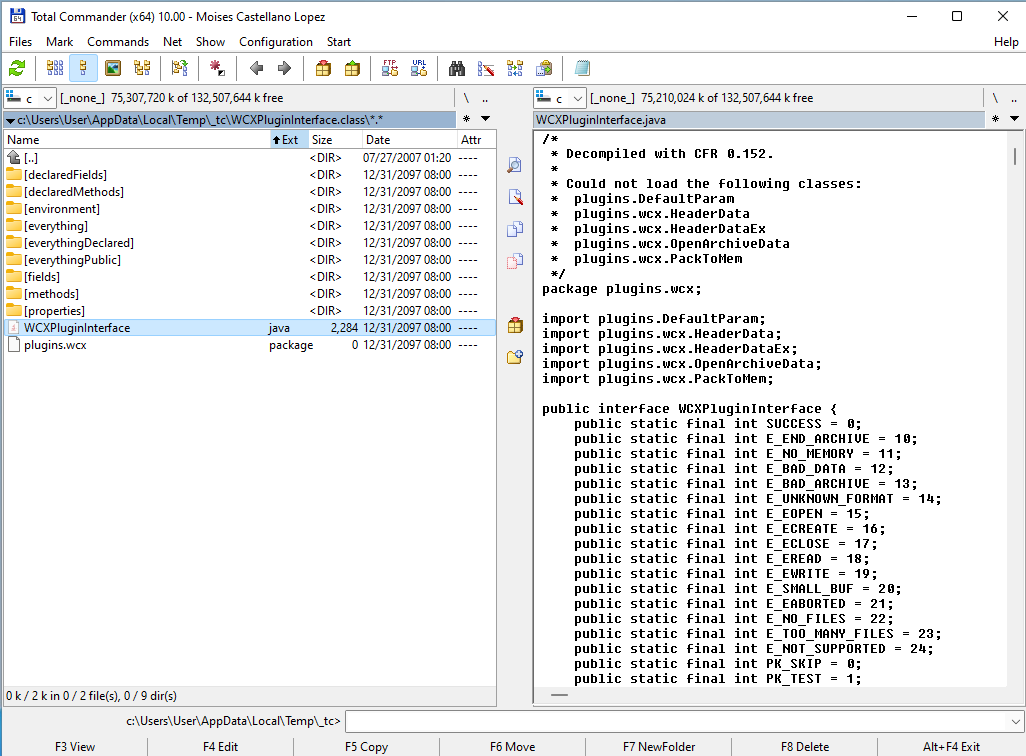
На скриншоте в левой панели выполнен вход в файл .class. Подкаталоги содержат члены класса. Декомпилированный класс показан в правой панели.
Плагин использует декомпилятор CFR 0.152 как библиотеку, поэтому ему не нужны дополнительные исполняемые файлы или процессы.
Дополнительная информация и исходный код на странице проекта на Github
Этот плагин основан на Java plugin interface 2.3, который также доступен на totalcmd.net
JavaDecompiler написан на Java, поэтому необходимо установить Java Runtime Environment (JRE). Поскольку используются лямбда-выражения, требуется как минимум Java 8. Протестировано на JDK1.8.0
Что нового
(refer to https://github.com/moisescastellano/javadecompiler-tcplugin/blob/main/changes.md)
v1.1 - 2022-jan-30
------------------
- You can now also view (F3) or copy (F5) files with extension ".env" and ".property" as they were text files
- files with extension ".env" contain the environment variables
- files with extension ".property" contain the system properties
- new "environment.env" and "properties.property " files in the root dir.
- JavaDecompiler 1.1 is now based on Java Plugin Interface v2.3
- PluginClassLoader was incomplete (missing e.g. findResources implementation). It has now been completed.
- Better exception management when getting/showing elements (e.g. class methods) fails:
- if an error occurs, an ".exception" file is shown that you can open (F3) to view the detail.
- other elements (e.g. decompiled class) can still be shown in that case
- Troubleshooting guide linked and main problems enumerated in main README
- Major code restructure - more legible if you are familiar with lambda expressions
- it now shares a common extended class (ItemsPlugin) with ThousandTypes plugin
- JavaDecompiler is now hosted at Github pages
- Version check (for at least tc-classloader 2.2.0) to avoid javalib problems
- Refer to: In case you have more than one Java plugin installed
- Source code is now available at Github project
- Logging is updated to SLF4J (previously was based on deprecated Apache commons-logging implementation).
- Logging now works for Log4j2 via SLF4J.
- Logging is disabled by default, any logging implementation has been removed from the plugin itself.
- Documentation about how to configure logging for plugins.
- errormessages.ini: corrected typos on english and german messages, showing some memory dump
v1.0 - 2021-dec-27
------------------
- JavaDecompiler is now available at Totalcmd.net
- This plugin allows Total Commander to both decompile and navigate java .class files.
- It is a packer plugin, meaning you can "enter" these files as archives.
- This plugin "hacks" the TC packer interface so that class files appear to be archives containing all of:
- a file "classname.java" which you can view (F3) or copy (F5). This java is the decompiled class file.
- a list of directories representing all the methods, fields, constructors, member classes and interfaces of the class.
- a couple more directories show the system properties and environment variables.
v1.1 - 2022-jan-30
------------------
- You can now also view (F3) or copy (F5) files with extension ".env" and ".property" as they were text files
- files with extension ".env" contain the environment variables
- files with extension ".property" contain the system properties
- new "environment.env" and "properties.property " files in the root dir.
- JavaDecompiler 1.1 is now based on Java Plugin Interface v2.3
- PluginClassLoader was incomplete (missing e.g. findResources implementation). It has now been completed.
- Better exception management when getting/showing elements (e.g. class methods) fails:
- if an error occurs, an ".exception" file is shown that you can open (F3) to view the detail.
- other elements (e.g. decompiled class) can still be shown in that case
- Troubleshooting guide linked and main problems enumerated in main README
- Major code restructure - more legible if you are familiar with lambda expressions
- it now shares a common extended class (ItemsPlugin) with ThousandTypes plugin
- JavaDecompiler is now hosted at Github pages
- Version check (for at least tc-classloader 2.2.0) to avoid javalib problems
- Refer to: In case you have more than one Java plugin installed
- Source code is now available at Github project
- Logging is updated to SLF4J (previously was based on deprecated Apache commons-logging implementation).
- Logging now works for Log4j2 via SLF4J.
- Logging is disabled by default, any logging implementation has been removed from the plugin itself.
- Documentation about how to configure logging for plugins.
- errormessages.ini: corrected typos on english and german messages, showing some memory dump
v1.0 - 2021-dec-27
------------------
- JavaDecompiler is now available at Totalcmd.net
- This plugin allows Total Commander to both decompile and navigate java .class files.
- It is a packer plugin, meaning you can "enter" these files as archives.
- This plugin "hacks" the TC packer interface so that class files appear to be archives containing all of:
- a file "classname.java" which you can view (F3) or copy (F5). This java is the decompiled class file.
- a list of directories representing all the methods, fields, constructors, member classes and interfaces of the class.
- a couple more directories show the system properties and environment variables.