Autodesk 3ds Max Preview 1.3.0.1
Описание
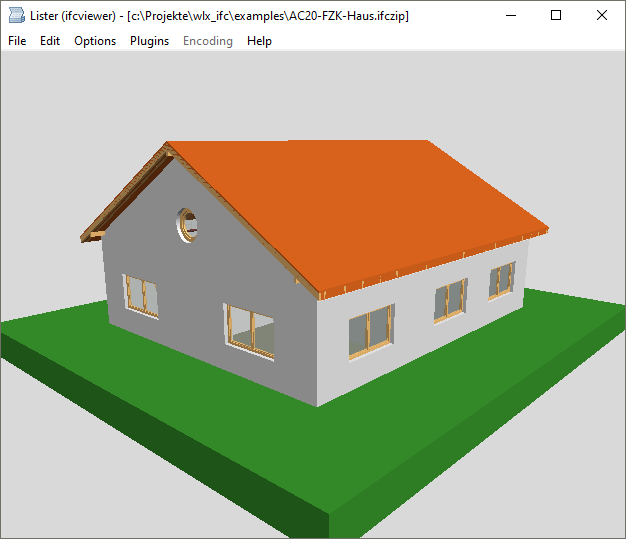
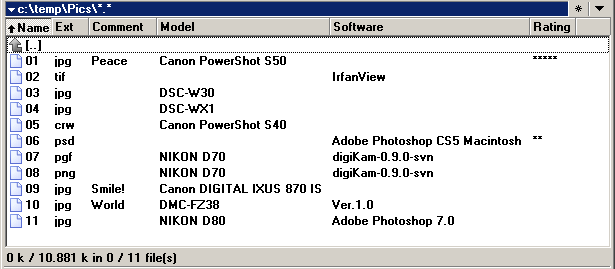
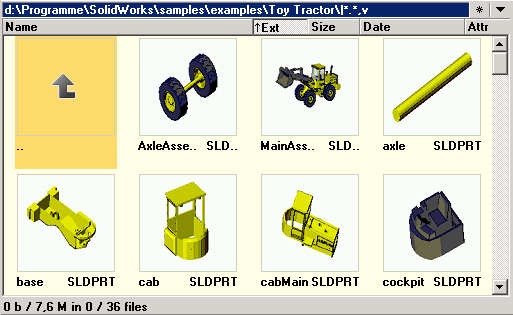
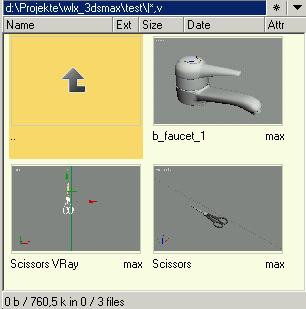
The Autodesk® 3ds Max® Preview plugin shows the embedded preview thumbnail of 3ds Max files (Version >= 3). It can also be used for the thumbnail view.Что нового
o Version 1.3.0.1
- fixed: display of 3ds Max file version in status bar
o Version 1.3.0.0
- fixed memory leaks
- fixed: extract preview image only once per file
- fixed bitmap scaling according to display options
(fit image to window, fit only larger image, center
image)
- fixed aspect ratio of extracted bitmap
- fixed: copy preview bitmap to clipboard (CTRL+C)
- removed options Width and Height from section
[Autodesk 3ds Max Preview Settings] of 3dsmax.ini.
- removed MPRESS binary compression
o Version 1.2.1.0
- fixed setting of background color
- added print preview bitmap (CTRL+P)
- added 64 bit support
o Version 1.2.0.1
- added optional status bar instead of version text in
bitmap
- fixed fullscreen view: use maximum window size
- changed directory of 3dsmax.ini from plugin directory
to same directory as wincmd.ini
o Version 1.2.0.0
- added Unicode support of files names (for Total
Commander >= 7.50)
- added display of 3ds Max file version in bitmap
- fixed crash when closing the lister window
o Version 1.1.2.1
- fixed: return NULL in ListLoad() if extraction of
preview bitmap fails
o Version 1.1.2.0
- fixed vertical scrolling
o Version 1.1.1.0
- added: copy preview bitmap to clipboard (CTRL+C)
o Version 1.1.0.0
- added support for new lister option: "Center images"
(requires Total Commander 7 beta 1)
- added: avoid flickering of preview window when
switching from one file to the next (requires Total
Commander 7 beta 2)
- added scrolling
o Version 1.0.4.0
- fixed displaying of thumbnails in multiple instances
of lister window
o Version 1.0.3.1
- fixed: display empty lister window in case of failed
thumbnail extraction
o Version 1.0.3.0
- added option Debug in 3dsmax.ini
- fixed error handling
o Version 1.0.2.0
- added option BackColor, Height and Width in 3dsmax.ini
o Version 1.0.1.0
- added thumbnail view
- added fit image to window in Quick View mode
o Version 1.0.0.1
- first nightly build
- fixed: display of 3ds Max file version in status bar
o Version 1.3.0.0
- fixed memory leaks
- fixed: extract preview image only once per file
- fixed bitmap scaling according to display options
(fit image to window, fit only larger image, center
image)
- fixed aspect ratio of extracted bitmap
- fixed: copy preview bitmap to clipboard (CTRL+C)
- removed options Width and Height from section
[Autodesk 3ds Max Preview Settings] of 3dsmax.ini.
- removed MPRESS binary compression
o Version 1.2.1.0
- fixed setting of background color
- added print preview bitmap (CTRL+P)
- added 64 bit support
o Version 1.2.0.1
- added optional status bar instead of version text in
bitmap
- fixed fullscreen view: use maximum window size
- changed directory of 3dsmax.ini from plugin directory
to same directory as wincmd.ini
o Version 1.2.0.0
- added Unicode support of files names (for Total
Commander >= 7.50)
- added display of 3ds Max file version in bitmap
- fixed crash when closing the lister window
o Version 1.1.2.1
- fixed: return NULL in ListLoad() if extraction of
preview bitmap fails
o Version 1.1.2.0
- fixed vertical scrolling
o Version 1.1.1.0
- added: copy preview bitmap to clipboard (CTRL+C)
o Version 1.1.0.0
- added support for new lister option: "Center images"
(requires Total Commander 7 beta 1)
- added: avoid flickering of preview window when
switching from one file to the next (requires Total
Commander 7 beta 2)
- added scrolling
o Version 1.0.4.0
- fixed displaying of thumbnails in multiple instances
of lister window
o Version 1.0.3.1
- fixed: display empty lister window in case of failed
thumbnail extraction
o Version 1.0.3.0
- added option Debug in 3dsmax.ini
- fixed error handling
o Version 1.0.2.0
- added option BackColor, Height and Width in 3dsmax.ini
o Version 1.0.1.0
- added thumbnail view
- added fit image to window in Quick View mode
o Version 1.0.0.1
- first nightly build