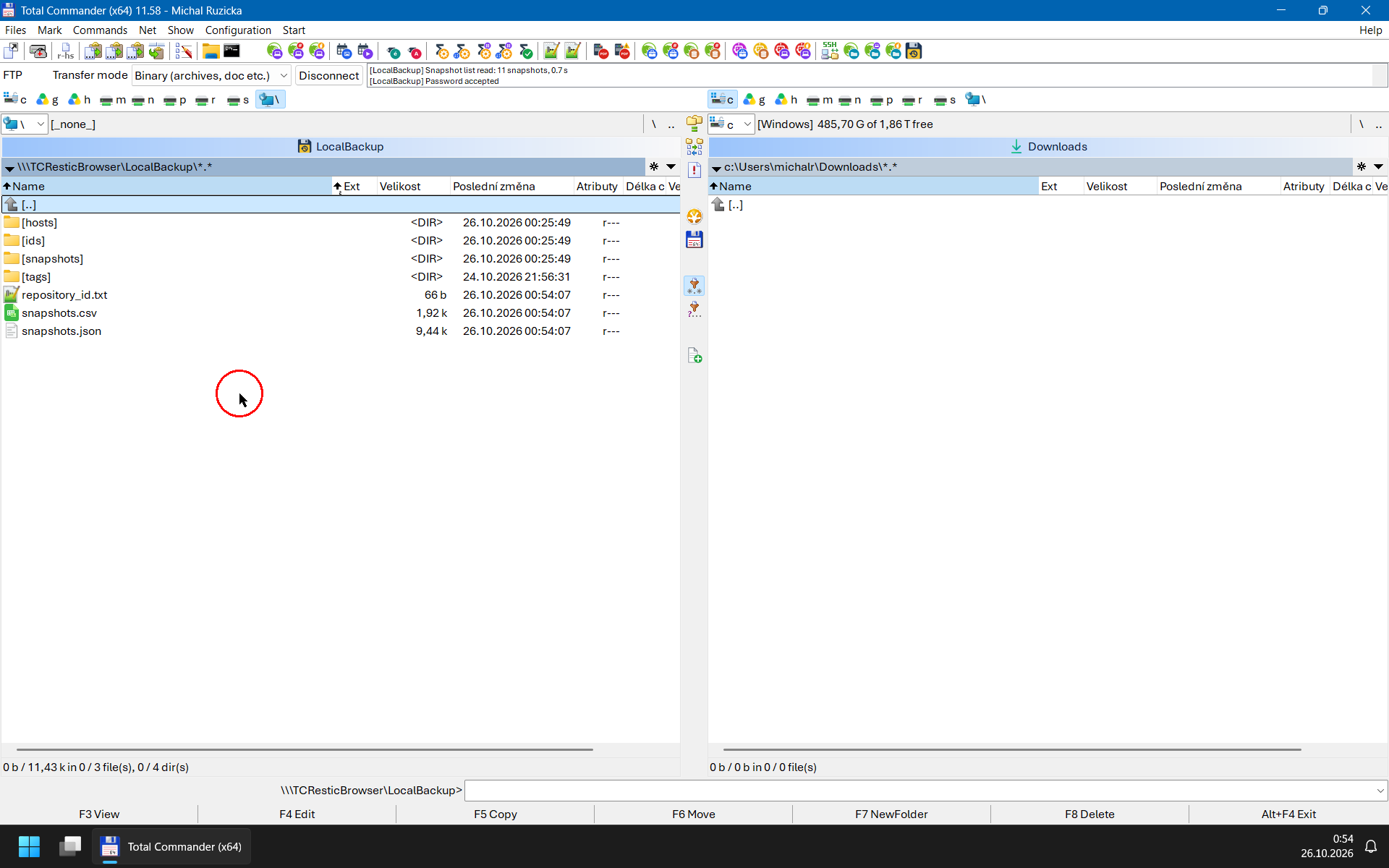
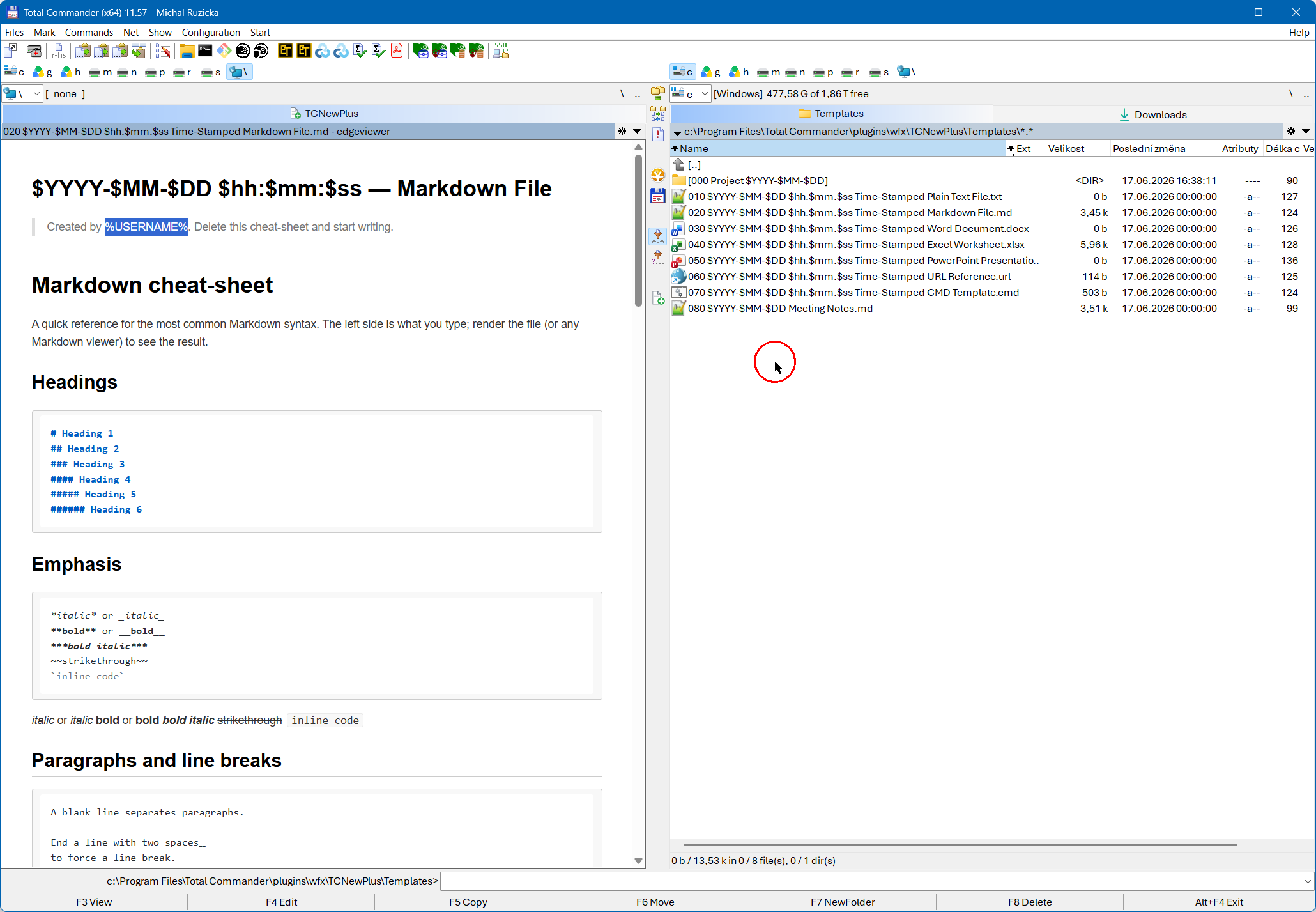
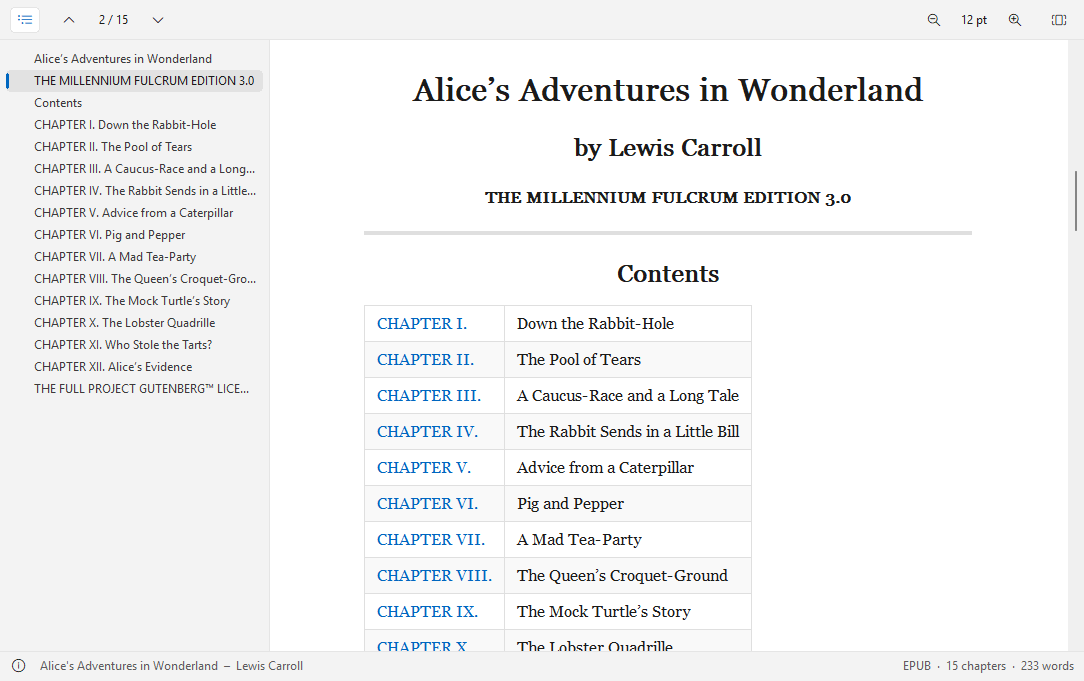
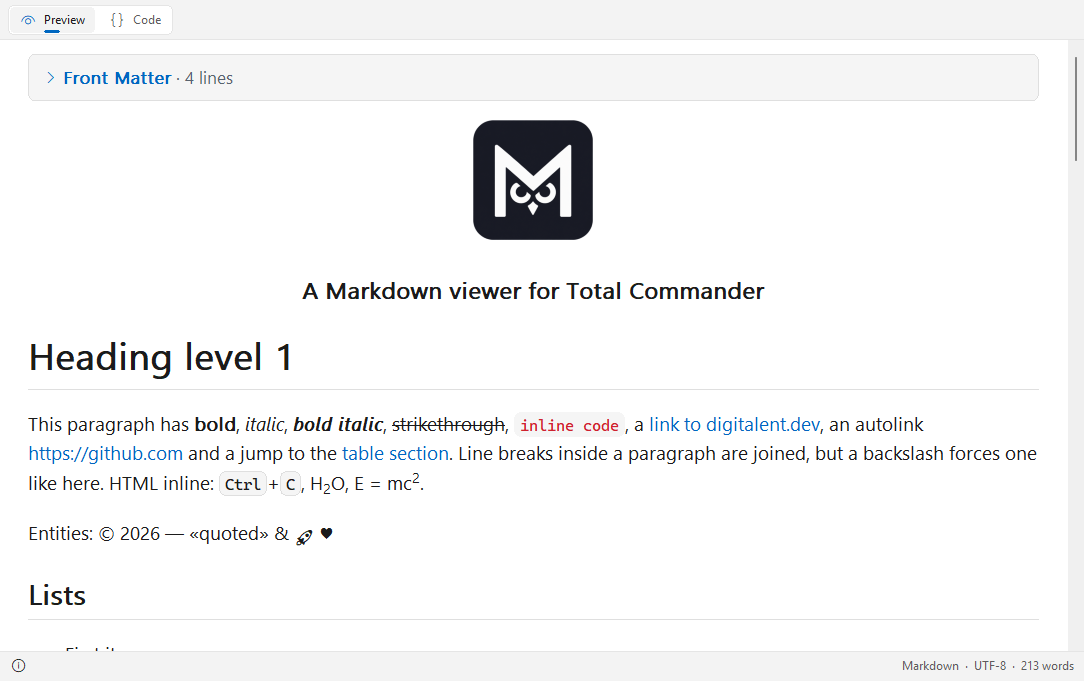
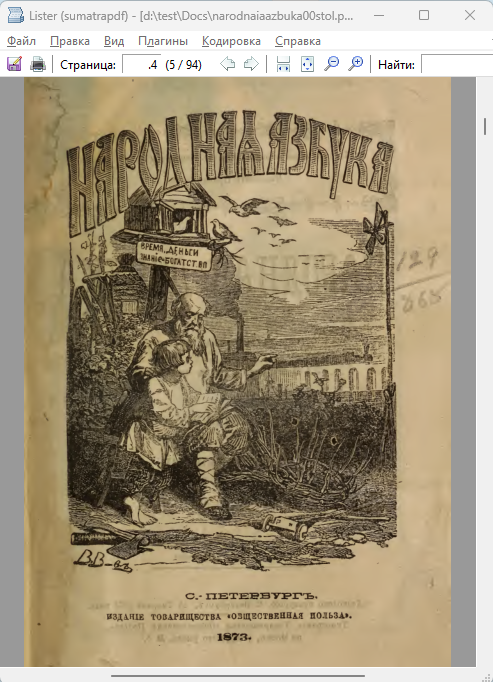
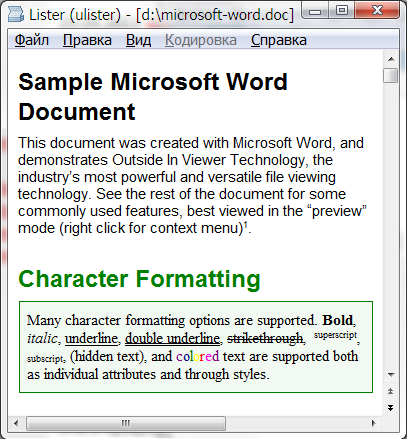
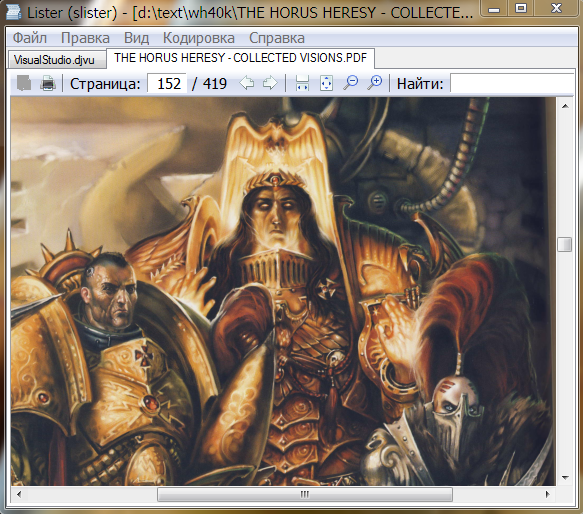
TCOfficeView 2.4.0
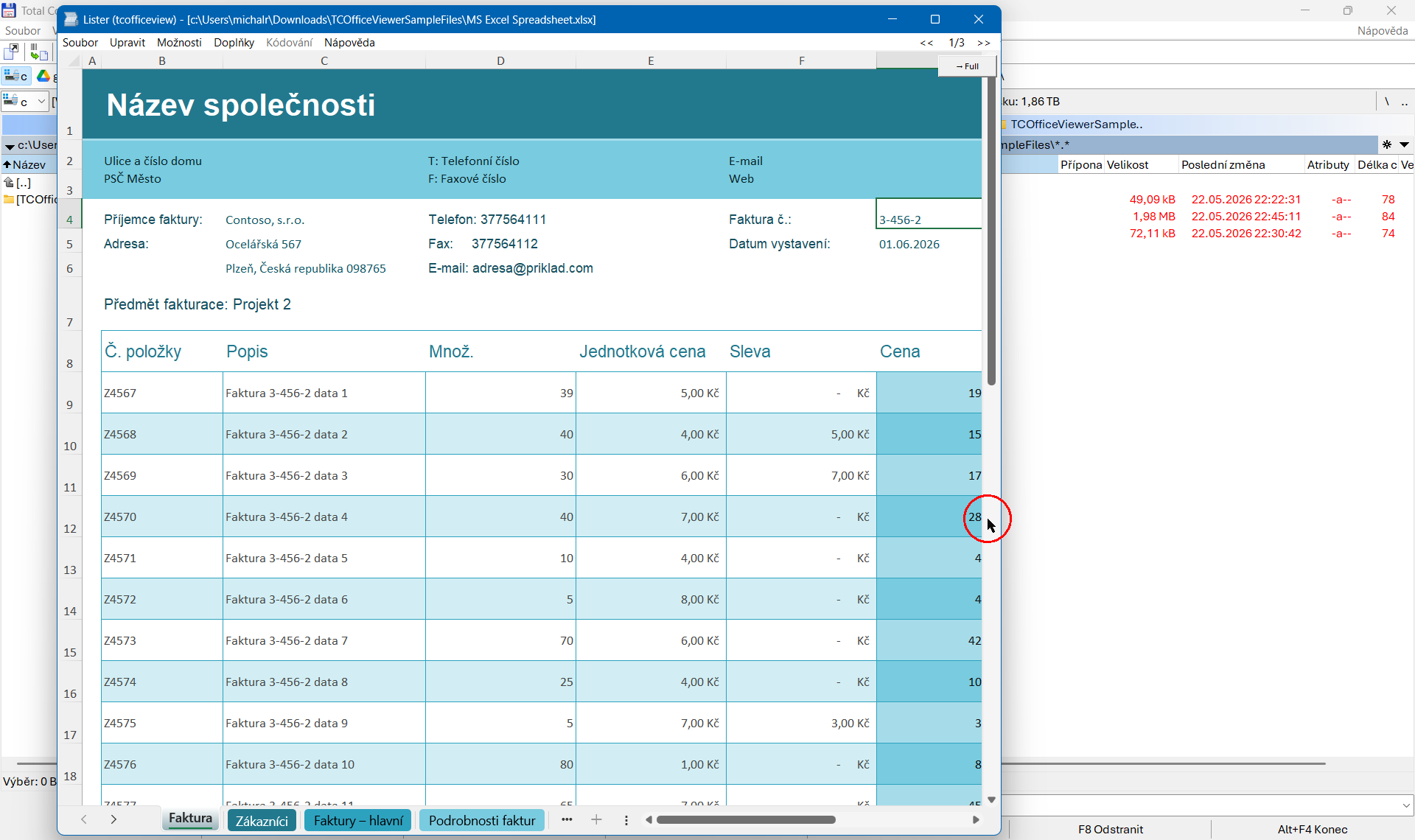
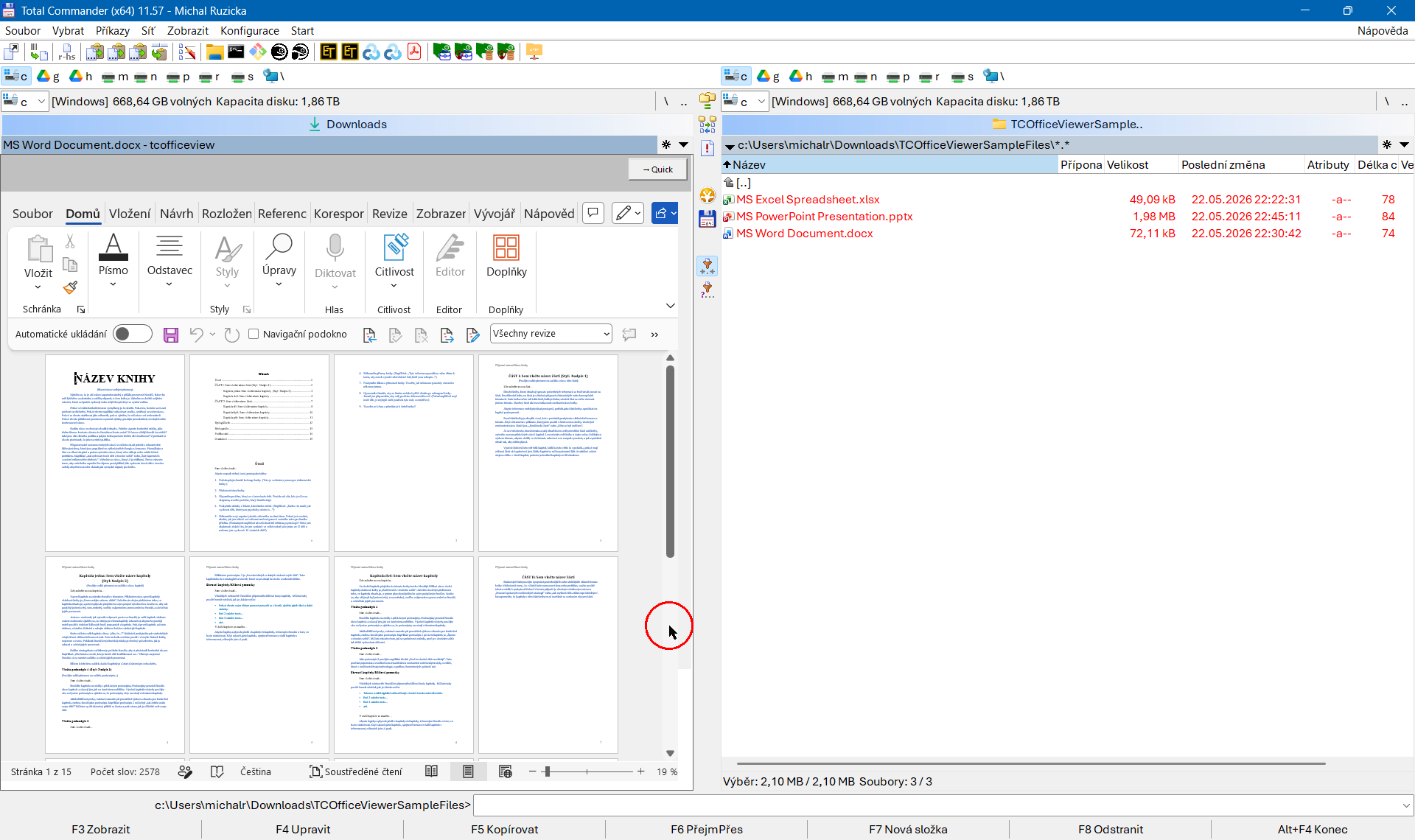
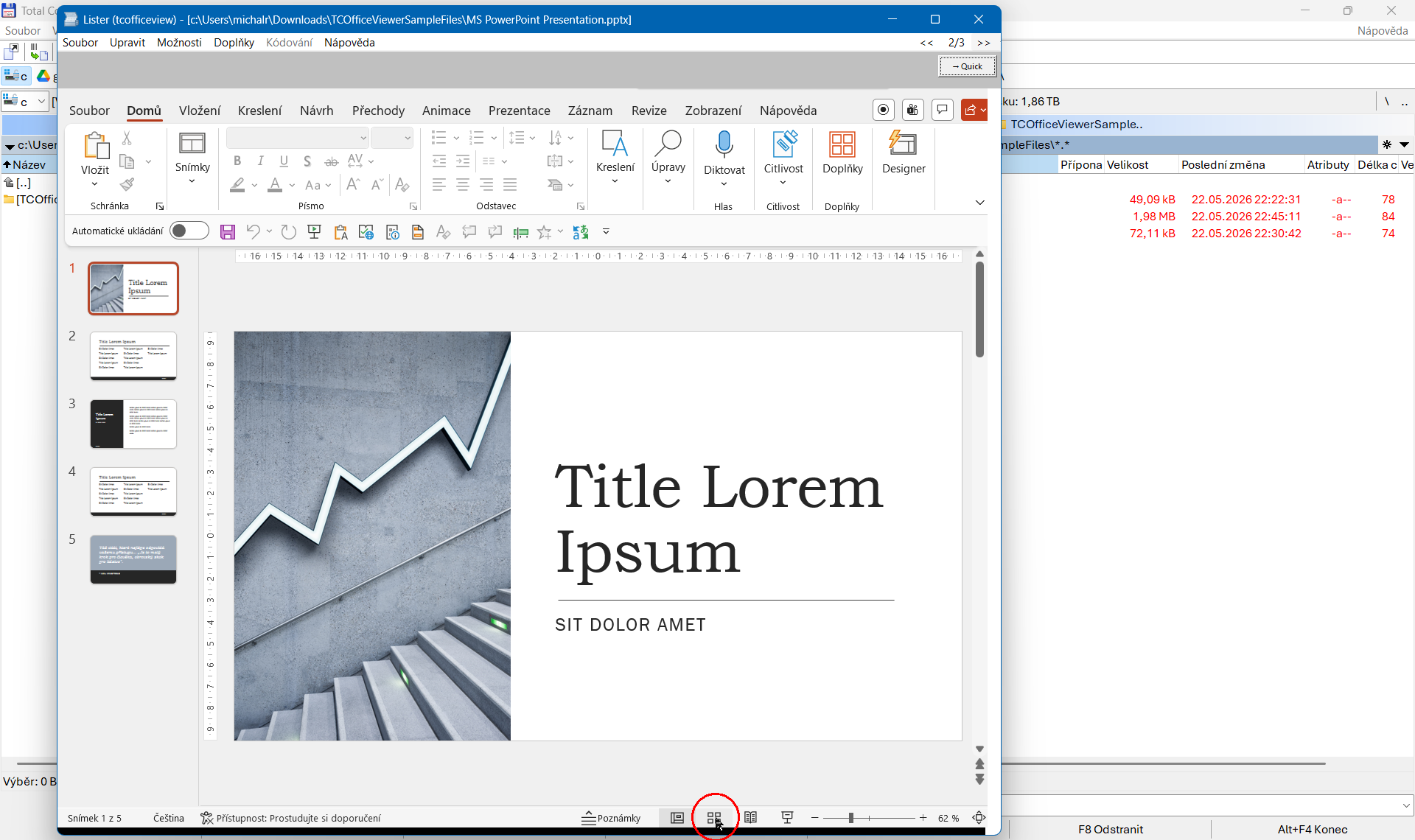
Описание
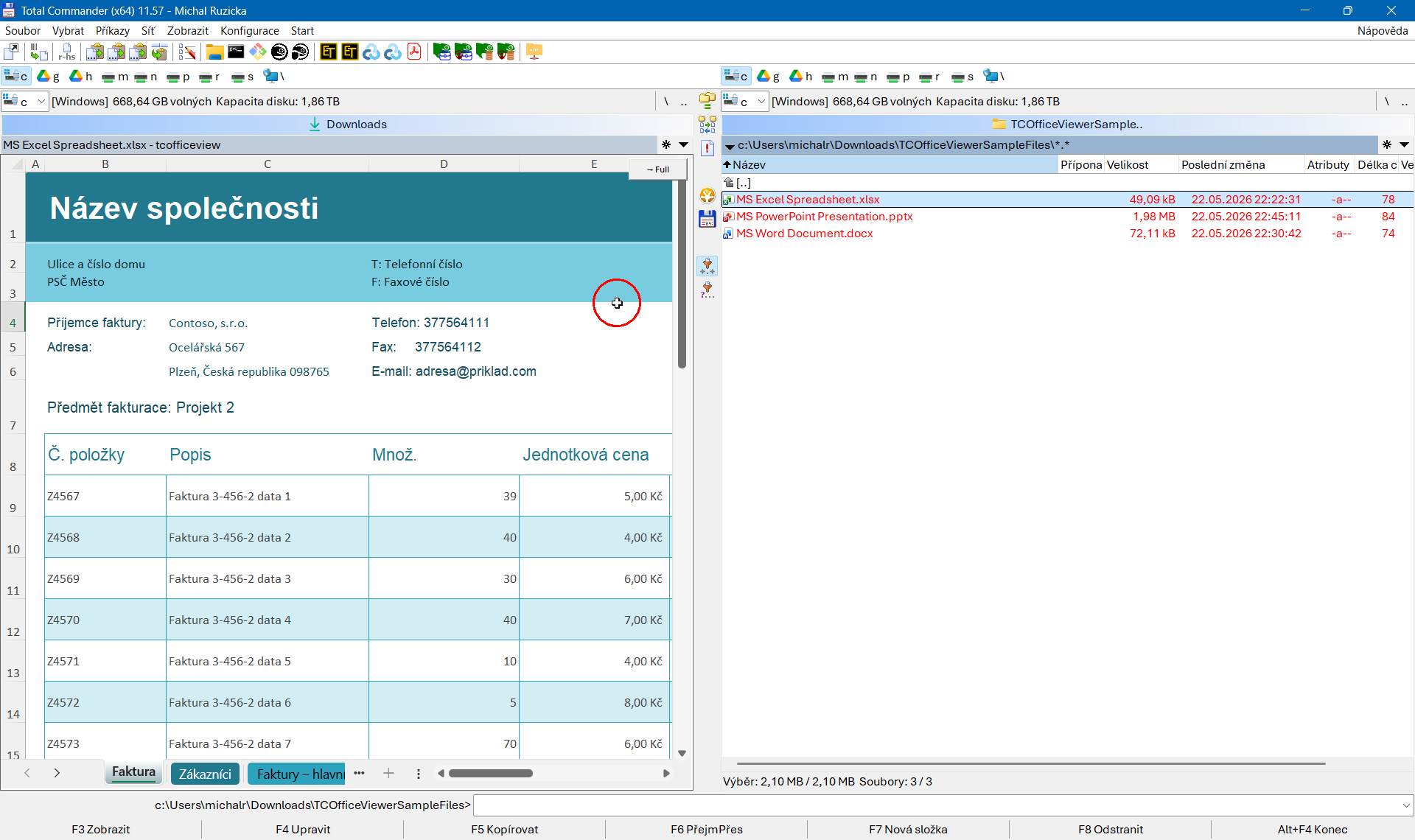
Плагин просмотрщика Total Commander, который показывает документы Microsoft Office (Word, Excel, PowerPoint, Outlook MSG, Visio), PDF и всё остальное, что может показать область просмотра Проводника Windows (Alt+P), прямо в окне F3 / быстрого просмотра (Ctrl+Q) в TC. Всё, что Проводник просматривает на вашем компьютере, этот плагин показывает в окне Lister.Плагин отображает предварительный просмотр точно так же, как Проводник Windows или Outlook: он сам не разбирает документы и не содержит управляемой среды выполнения. Для файлов, которые он не может показать (для данного расширения не установлен обработчик), плагин уступает место: Total Commander использует следующий настроенный плагин просмотрщика или встроенный просмотрщик, поэтому его установка ничего у вас не отнимает.
Что потребуется на целевом компьютере, зависит от типа файла: MS Office для содержимого Word / Excel / PowerPoint / Outlook; ничего дополнительного для PDF в Windows 10+ (Microsoft Edge содержит встроенный обработчик); для всего остального — любое приложение, которое устанавливает обработчик.
Что нового
## [v2.4.0] – 2026-07-09
### Added
- **Full mode (and the mode-switch button) now covers OpenDocument files,
Office templates and PowerPoint slideshows.** Previously only the classic
Office extensions were recognised as Word / Excel / PowerPoint documents;
everything else — including formats those applications open natively —
was treated as a generic preview-handler file, so the **→ Full** button
never appeared and the quick→full auto-fallback never fired. The
recognised set now additionally includes:
- **Word** — ODT (OpenDocument Text), DOT, DOTX (templates)
- **Excel** — ODS (OpenDocument Spreadsheet), XLT, XLTX (templates)
- **PowerPoint** — ODP (OpenDocument Presentation), PPS, PPSX
(slideshows), POT, POTX (templates)
OpenDocument templates (OTT, OTS, OTP) are not included because
Microsoft Office does not open them.
### Security
- **Full mode no longer executes document macros.** Office applications
driven via OLE Automation default to `msoAutomationSecurityLow`, so a
full-mode preview of a document with VBA macros used to run its
AutoOpen/Document_Open code **without any prompt**: automation opens
bypass both Protected View and the "Enable Content" notification bar.
In practice this affected XLSB and the legacy DOC / XLS / PPT formats
(the explicitly macro-enabled DOCM / XLSM / PPTM never reach the plugin
at all — see the note below). The host now sets
`Application.AutomationSecurity = msoAutomationSecurityForceDisable` on
every Word / Excel / PowerPoint instance it creates, so previews never
execute macros in either mode (quick previews could never run them).
The setting is per-instance and runtime-only — it does not change the
user's Office configuration. To run a document's macros, open the file
in the Office application itself.
Note that Office deliberately registers no preview handler for any of
its macro-enabled formats (DOCM, DOTM, XLSM, XLTM, PPTM, PPSM, POTM) —
those files preview neither in Windows Explorer's Alt+P pane nor in
this plugin, which steps aside so Total Commander's next viewer takes
over. XLSB is the exception: it can carry macros yet has a preview
handler registered, which is one more reason the defence is the
automation setting rather than an extension list. This is now
documented in `README.md`.
### Fixed
- **The full-mode overlay window can no longer be moved or resized by the
user.** The borderless Office window floated over the Lister pane could be
dragged away by the free space of its title bar, or resized by grabbing
its edges (typically by accident, when aiming for the Lister's edge), and
stayed displaced until the pane itself changed. The overlay tracker now
cancels such a drag the moment it starts — the window never leaves its
place — and additionally snaps the window back over the pane whenever its
position or size drifts for any other reason.
- **GitHub CI build restored.** The workflow now uses the CMake (and Ninja)
bundled with the Visual Studio Build Tools via the `VC.CMake.Project`
component instead of installing CMake separately through winget. This also
keeps the local and CI toolchains identical for reproducible builds.
The pinned compiler version was bumped to `19.51.36248` to match the
current Build Tools release, and `setup-build-environment-example.cmd`
now accepts the installer's reboot-requested exit code (3010) as success.
## [v2.3.1] – 2026-06-05
**No user-visible feature changes. This release adds reproducible builds** —
locks the build toolchain so that the same source commit always produces
byte-identical binaries, giving users an independent way to verify a release
binary against the published source code.
See [Verifying Releases](README.md#verifying-releases) in `README.md` and
[Reproducible Builds](CONTRIBUTING.md#reproducible-builds) in `CONTRIBUTING.md`
for the verification workflow and the full technical details.
### Added
- **`setup-build-environment-example.cmd`** — a one-shot script that sets up a
complete build environment on a fresh Windows installation (VM,
[Windows Sandbox](https://learn.microsoft.com/windows/security/application-security/application-isolation/windows-sandbox/),
or similar), downloads the source tree from GitHub, installs Visual
Studio Build Tools and CMake, and runs `build.cmd` to produce the
distributable ZIP. Every step is visible and documented inside the script.
### Changed
- **Build toolchain pinned for reproducible builds.** The exact MSVC compiler
version (`19.51.36246`), toolset (`14.51`) and Windows SDK (`10.0.26100.0`)
are locked in `build.cmd` and the CI workflow. The build uses the NMake
Makefiles generator with the compiler environment activated per architecture
via `VsDevCmd.bat -vcvars_ver=14.51` — no VS generator flag is needed and
cmake's VS instance detection is bypassed entirely.
The MSVC compiler flags `/Brepro`, `/experimental:deterministic` and linker
flag `/BREPRO` eliminate per-build noise from object files and the PE
timestamp. Source-file paths in debug info are normalised via `/pathmap`.
File timestamps in the ZIP are set to `release-date=` from `pluginst.inf`.
- **`sha256sums.sha256` added to every release ZIP.** The file lists the SHA-256
of every other file in the archive. The CI build log and `build.cmd` both
print the SHA-256 of the produced ZIP itself, providing an independent
reference for cross-build comparison.
- **Line endings in ZIP text files normalised to CRLF.** Markdown, INI and
INF files in the release ZIP are now guaranteed to use Windows line endings
regardless of the platform or git configuration the build was run under.
## [v2.3.0] – 2026-05-28
Full-mode preview for all Office apps is now fully interactive and much
more reliable. Rapid `Ctrl+Q`/`F3` browsing among Office files no longer
triggers a wave of cold-starts if full mode is used.
> **Upgrading from an earlier version?** Total Commander keeps an
> already-configured detect string when a plugin is replaced, so
> users coming **from v2.1.0 or earlier** won't automatically pick up
> the new universal file-type support — see
> [Upgrading from an Earlier Version in `README.md`](README.md#upgrading-from-an-earlier-version).
### Added
- **Word, Excel and PowerPoint full mode are now fully interactive and much
more reliable.**
Full-mode previews used to render almost correctly but especially in Excel
clicking, scrolling and ribbon buttons did not work always correctly.
All three apps now behave like normal read-only Office windows. Achieving
this required re-architecting all three from window embedding to a
top-level overlay — see *Changed* below. The **→ Quick** button still
works as before.
- **Configurable dwell-time before starting an Office application
(`[Mode] FullLoadDelayMs`, default 1000 ms).** The delay prevents
rapid arrow-key browsing from triggering a wave of expensive Office
cold-starts. It works differently by mode:
- `full` / `full-switchable` — the Office launch is deferred from
initial navigation; if the user moves on within the dwell window
the launch is cancelled entirely and Office is never touched.
- `quick-switchable` (the default) — quick mode runs immediately
(no delay) and succeeds for ordinary Office files. The delay
kicks in only when the quick handler fails and auto-fallback to
full mode would fire — which in practice means SharePoint
documents synced from a non-primary Microsoft 365 tenant. For
those files "Preview is loading…" is shown during the dwell
window; the mode-switch button is hidden. Moving to another file
within that window cancels the Office launch. Files that load
fine in quick mode are completely unaffected.
Set to `0` to disable and load immediately (restores pre-dwell-time
behaviour). The delay never applies to the `→ Full` mode-switch
button — that always loads immediately.
### Changed
- **All three Office apps re-architected from window embedding to a
top-level overlay.** Word, Excel and PowerPoint full mode all used to
*embed* the real Office window — reparent it as a child of the Lister
pane. All three are now kept as a borderless **top-level window floated
over the pane**. This is the only way to make them foreground-capable,
and therefore interactive (especially very important for Excel windows);
a reparented child of another process can never take the foreground, which
is why the embedded versions were limited in some functionality.
Behavioural consequences worth knowing:
- The preview is live only while Total Commander is the front window.
Switch to another application and the pane shows a **frozen snapshot**
of the last Office state (still readable) until you switch back.
- Modern Office apps draw their own title bar, so the **Close** button is
present even on a frameless window; closing the preview that way tears
it down and shows a "Full preview was closed." message instead of a
blank pane.
- The grey close-guard strip that used to cover the top of
Word/Excel/PowerPoint full previews is gone — it was needed only to
intercept the close button on embedded windows (resulting in closing
lister [when `F3` was used] or even whole Total Commander window [when
`Ctrl+Q` was used]), and is not needed in the overlay model.
- A "Preview is loading…" indicator appears for full preview mode.
- **Mark-of-the-Web blocking enforced in full mode.**
Files opened via OLE Automation do not trigger Office's Protected View
pipeline — the application trusts its COM caller and opens the file
without the "Enable Editing" quarantine banner, bypassing the
security control MOTW is meant to enforce. TCOfficeView now applies
its own MOTW check before launching any Office full-mode load: if
the file is MOTW-blocked (Internet or Restricted zone), the Unblock
fallback panel is shown instead of starting Office. After clicking
**Unblock this file** the preview reloads in full mode as normal.
Quick and auto-fallback paths are unchanged.
- **Unblock button made simpler** on the MOTW info page.
### Fixed
- **Rapid switching between Office files no longer triggers a load for
every file flicked past.** Two complementary debounce mechanisms now
work together: a dwell-time timer (see `FullLoadDelayMs` above) prevents
the Office cold-start from starting at all for files you navigate through
quickly, and a message-queue trailing-edge filter skips queued LOAD
requests when a newer one is already waiting — so only the file you
actually land on gets rendered. This also applies to the auto-fallback
path for SharePoint cross-tenant documents (which previously could trigger
Office cold-starts even on files the user had already left).
## [v2.2.2] – 2026-05-26
> **Upgrading from an earlier version?** Total Commander keeps an
> already-configured detect string when a plugin is replaced, so
> users coming from v2.1.0 or earlier won't automatically pick up
> the new universal file-type support — see
> [Upgrading from an Earlier Version in `README.md`](README.md#upgrading-from-an-earlier-version).
### Added
- **Auto-fallback from quick to full mode for Office documents the
preview handler refuses to render.** Files synced from a SharePoint
site in a non-primary Microsoft 365 tenant typically fail in quick
mode with HRESULT `0x80004005` (E_FAIL) or `0x80004001` (E_NOTIMPL) —
the preview handler's sandboxed surrogate process can't authenticate
cross-tenant. This is an Office-side limitation that affects
Windows Explorer's Alt+P / Preview Pane the same way; it isn't
specific to TCOfficeView. When this happens TCOfficeView now
silently retries the preview by launching the real Office
application in the background (which runs as the user with full
auth tokens and usually succeeds). Controlled per application from
a new `[AutoFallback]` INI section — `Word=true` / `Excel=true` /
`PowerPoint=true` (default for all three). Auto-fallback only
kicks in when the application is in the `quick-switchable` mode
(the default); explicit `quick` mode opts the application out.
Mark-of-the-Web-blocked files keep their dedicated Unblock
fallback panel — they are intentionally excluded from auto-
fallback because opening them in the real Office app would
bypass Protected View. See `README.md` → Configuration →
Auto-Fallback for Multi-Tenant SharePoint Documents.
- **User-initiated mode switch suppresses auto-fallback.** When
the user clicks the `→ Quick` overlay button on a document that
auto-fell-back to full at load time, the click is now treated as
an explicit "I want quick mode here" instruction — auto-fallback
is skipped so the click does not silently bounce the document
back to full mode. Instead the quick fallback panel is shown
(with an Office-specific explanation of why the preview handler
refuses the file) and the overlay button flips to `→ Full` so
the user can return to full mode deliberately.
- **Office-aware text in the generic fallback panel.** For Word,
Excel and PowerPoint files the "preview handler failed" message
now lists the common causes (SharePoint cross-tenant sync,
corrupted document, broken Office install) and notes the
Explorer-Alt+P-parity behaviour. When the file's application
is in a switchable mode, a `→ Full` button hint is included.
## [v2.2.1] – 2026-05-26
> **Upgrading from an earlier version?** Total Commander keeps an
> already-configured detect string when a plugin is replaced, so
> users coming from v2.1.0 or earlier won't automatically pick up
> the new universal file-type support — see
> [Upgrading from an Earlier Version in `README.md`](README.md#upgrading-from-an-earlier-version).
### Added
- **Mark-of-the-Web detection and one-click unblock in the fallback panel.**
When the preview handler refuses to render a file, the fallback panel
now reads the file's `Zone.Identifier` alternate data stream and, if
the file is marked as having come from the internet (`ZoneId>=3`,
i.e. Internet or Restricted zone), replaces the generic "handler
failed" text with a tailored explanation: the security zone, the
originating URL if present, and a plain-language description of what
Office's Protected View does and why. An **Unblock this file**
button is shown at the bottom of the pane; one
click strips the `Zone.Identifier` ADS (equivalent to PowerShell's
`Unblock-File` or right-click → Properties → Unblock) and re-runs
the LOAD in the same mode the user was in, so the document opens
without leaving the Lister pane. The button is only shown for
MOTW-blocked files; for all other failure causes the fallback panel
is unchanged.
### Fixed
- **Cross-process window reparenting in Full mode no longer causes
Total Commander UI stutter.** Office application windows (Word,
Excel, PowerPoint) are now hidden with `ShowWindow(SW_HIDE)` before
`SetParent` strips their top-level frame and reparents them into the
Lister pane. Previously the reparent happened while the window was
still visible — PowerPoint in particular cannot be started invisibly
(`Application.Visible = False` is rejected) — which forced Windows
to synchronously reconcile window state across three processes
(TC → host → Office) and made Total Commander's own modal dialogs
(copy, overwrite confirmation, …) feel sluggish and jerky while a
Full-mode preview was active.
On detach (`UnloadWordFullSta`, `UnloadExcelFullSta`,
`UnloadPptFullSta`) each app's window now receives
`SetWindowPos(..., SWP_FRAMECHANGED | SWP_HIDEWINDOW)` after its
style is restored to `WS_OVERLAPPEDWINDOW`. Without this the window
manager could leave the frame in an inconsistent state (a top-level
window without caption or borders) until the next paint, producing
"ghost" windows that continued to interfere with focus and Z-order.
## [v2.2.0] – 2026-05-25
**Universal Preview Handler support** is tha main enhancement of this
release — **PDF, HTML, ... Anything that Explorer's Alt+P pane can show**
is now supported by TCOfficeView Total Commander plugin.
> **Upgrading from an earlier version?** Total Commander keeps an
> already-configured detect string when a plugin is replaced, so
> users coming from v2.1.0 or earlier won't automatically pick up
> the new universal file-type support — see
> [Upgrading from an Earlier Version in `README.md`](README.md#upgrading-from-an-earlier-version).
### Added
- **Universal Preview Handler support (PDF, HTML, anything Explorer's
Alt+P pane can show).** The plugin advertises support for all file
type (`EXT="*"`) so fresh installs work out of the box for the common
formats; users who want truly universal support can switch the detect
string in TC to `EXT="*"` (documented in README) and the plugin will
be asked about every file. A new registry probe in the plugin DLL
(`HasPreviewHandlerForExt`, mirroring the host's
`FindPreviewHandlerClsid` lookup chain — direct shellex → default
ProgID → `OpenWithProgids` → `SystemFileAssociations\` →
`SystemFileAssociations\`) decides at LOAD time
whether a Windows Preview Handler is actually registered for the
file's extension; if not, the plugin returns the "decline" value
so TC moves on to the next configured Lister plugin or its
built-in viewer. Cost: one zero-allocation registry walk per
F3 / Ctrl+Q; no host process spawn for files we can't render.
In practice this gives the user automatic support for **PDF** (via
Edge's built-in handler on Windows 10+, or Adobe Acrobat Reader if
installed), **MSG** (via Windows' built-in MAPI Mail Previewer),
and — with `EXT="*"` — Photoshop **PSD**, AutoCAD **DWG/DXF**,
Sketchup **SKP**, and anything else that ships a Preview Handler.
- **`[PreviewHandlers]` INI section for per-extension CLSID overrides.**
When several preview handlers are installed for the same file type
(e.g. both Microsoft Edge and Adobe Reader register one for `.pdf`,
whichever was installed last wins system-wide), the user can now
pin a specific handler for this plugin only by writing
`<.ext>=` in the INI:
```ini
[PreviewHandlers]
.pdf={3A84F9C2-6164-485C-A7D9-4B27F8AC009E}
```
Override entries are consulted before the standard registry lookup
chain; the system-wide registration is the fallback when no override
matches. Bad CLSIDs are silently ignored at load time. Explorer's
preview pane and other applications keep using whatever Windows
picked as the system default — the override is scoped to
TCOfficeView only. The shipped sample INI documents the format and
points at the
`HKLM\SOFTWARE\Microsoft\Windows\CurrentVersion\PreviewHandlers`
registry key where every installed handler is enumerated with its
CLSID and friendly name.
- **Optional discovery report** — set `[PreviewHandlers] ReportPath=`
in the INI to enable. When the option is set, the host writes
(on a low-priority background thread, every time it starts) a
human-readable text file at the chosen location containing:
- **Section 1** — every installed preview handler on the machine,
sorted by friendly name, with its CLSID alongside (the master
pick-list). Source: `HKLM\SOFTWARE\Microsoft\Windows\CurrentVersion\PreviewHandlers`.
- **Section 2** — the current per-extension assignment for every
file type that has a registered handler (walked from `HKCR\.*`),
preformatted as commented-out INI lines
(`;.pdf={CLSID} ; Friendly name`) sorted by extension and ready
to copy into the `[PreviewHandlers]` section of
`TCOfficeView.ini` — uncomment a row, swap the CLSID for one of
the alternatives from section 1 above.
Written atomically via a `.tmp` file + `MoveFileExW`, so the
report is never observed half-written. Off by default — the
registry walk is cheap but it's still wasted work on every Lister
session when the user isn't actively configuring overrides. Turn
it on while setting up overrides, then comment the line out again.
Failure (path unwritable, destination locked by an editor, …) is
logged and silently skipped — the report is a convenience, not a
requirement for the plugin to function.
- **Per-extension deny in `[PreviewHandlers]`** — write `.ext=` (empty
value) to skip an extension entirely. TCOfficeView then behaves
as if no preview handler existed for that file type: the plugin
DLL returns `nullptr` from `ListLoadW` / `LISTPLUGIN_ERROR` from
`ListLoadNextW`, Total Commander routes the file to the next
configured Lister plugin or its built-in viewer, and the host
process is never even spawned. Useful when another Lister plugin
does a better job for a specific file type (e.g. a dedicated PDF
previewer) and the user wants to keep TCOfficeView for everything
else.
The plugin DLL re-reads the `[PreviewHandlers]` section from the
INI on every `ListLoadW` / `ListLoadNextW` call, so deny-list edits
take effect immediately without restarting Total Commander. The
host re-reads the section on every spawn and honours the deny list
inside `FindPreviewHandlerClsid` as a defence-in-depth backstop in
case the DLL ever forwards a file for a denied extension.
### Changed
- README's “Supported Formats” section is now an indicative list of
common handlers rather than the authoritative whitelist (which is
whatever the user's machine has registered). The “When MS Office
Is Not Installed” section was renamed and rewritten to reflect the
new behaviour: silent decline + TC fall-through for files with no
handler, and the fallback panel reserved for cases where a handler
IS registered but fails at run time.
### Fixed
- **`[PreviewHandlers]` parser rejected entries that ended with an
inline `;comment`.** The sample INI documented the format
`.pdf={CLSID} ; Friendly name`, exactly the same shape the
discovery report produces for copy-paste — but the parser passed
the value, comment and all, straight to `CLSIDFromString`, which
is strict about trailing characters and silently dropped the
entry. The override therefore had no effect even though the user
had written it correctly per the docs. Values are now stripped
of any inline `;…` tail and surrounding whitespace before being
parsed. Each successfully-loaded override is also logged
(`PreviewHandlers override: .pdf -> {…}`), and each rejected
entry is logged as `REJECTED (bad CLSID)` so typos are easier
to spot.
- **`ListGetDetectString` now returns `EXT="*"`** instead of a
hard-coded list of Office extensions. Total Commander calls this
exported function the first time it needs to query the plugin's
detect string and stores the returned value in `wincmd.ini`,
overriding whatever `defaultextension=` in `pluginst.inf` set
initially. The stale hard-coded list was the real reason new
file types (PDF, HTML, …) were not picked up automatically on
fresh installs — they simply weren't in the string TC saw. With
the new value, fresh installs route every file through the plugin
DLL's `HasPreviewHandlerForExt` registry probe, exactly the way
the new universal-handler architecture was meant to work.
Existing users coming from v2.1 or earlier need a one-off
configuration refresh to pick this up — see *Notes* below.
- **`ListLoadNextW` no longer leaves a stale preview on screen when
navigating (`n` / `p` keys in the Lister) to a file the plugin
can't handle.** The previous code returned the wrong constant on
the failure path — `0` instead of `1` — so Total Commander
interpreted "no handler for this file" as success, kept the
Lister window open, and left the prior file's rendering visible
in it. The plugin now uses the documented `LISTPLUGIN_OK` (0) /
`LISTPLUGIN_ERROR` (1) constants (added to `listplug.h` for
clarity) and returns `LISTPLUGIN_ERROR` whenever it can't load
the requested file — at which point TC closes the Lister and
routes the file to the next configured plugin or its built-in
viewer. The success path was also corrected from `1` to `0`;
this had been silently wrong since the plugin's first release but
TC's tolerance for either value masked it.
- **`pluginst.inf` no longer ships either `detect=` or
`defaultextension=`.** The former is recognised by Total Commander
only for archive (WCX) plugins; the latter would, if TC reads it at
install time, write a finite EXT="…" list to `wincmd.ini` that
would then conflict with the `EXT="*"` value the plugin's
`ListGetDetectString` returns on first use. `ListGetDetectString`
is now the single source of truth — the plugin DLL itself decides
which files TC should ask it about, and the answer is "all of
them; my registry probe will decline the ones I can't render".
### Notes
- **Upgrading from v2.1.0 or earlier requires a one-off configuration
refresh to enable the new universal file-type support.** Total
Commander does not overwrite an already-stored detect string when
a plugin's DLL is replaced — even if `ListGetDetectString` would
return something different — so existing installs keep the old
Office-only detect string and never get asked about PDF, HTML, or
the other newly-supported file types.
Two ways to refresh it:
1. **Remove and re-add the plugin** in *Total Commander →
Configuration → Options → Plugins → Lister plugins →
Configure*. On the next file preview, TC will ask the new
plugin DLL for its detect string and store `EXT="*"`.
2. **Edit `wincmd.ini` directly** — Total Commander's GUI does
not expose a way to change a Lister plugin's detect string at
all, so this is the only way without going through Remove /
Add. Close TC, edit the `_detect=` line under
`[ListerPlugins]` (where `` is the slot whose
`=` line is the TCOfficeView DLL path) to `EXT="*"`, save,
and reopen TC.
Both procedures are spelled out step-by-step in *README.md →
Upgrading from an Earlier Version*.
## [v2.1.0] – 2026-05-23
### Added
- **Long path support (paths > MAX_PATH / 260 characters), to the extent
Windows and Office permit it.** The host process now declares
`true` in its manifest, and
`GetModuleFileNameW` / `GetEnvironmentVariableW(L"APPDATA", …)`
callers no longer rely on fixed-size MAX_PATH buffers, so the
plugin can be installed under a long path.
Long paths require **both** `true` in
the manifest (we ship this) **and** the system-wide
`HKLM\SYSTEM\CurrentControlSet\Control\FileSystem\LongPathsEnabled = 1`
registry switch (Windows default is `0`; user/admin must enable it).
With both in place, Win32 / Shell file APIs accept paths longer than
MAX_PATH and we pass the **raw** path to every preview entry point —
`IInitializeWithFile::Initialize`, `SHCreateStreamOnFileEx`,
`SHCreateItemFromParsingName`, and Office's `Documents.Open` /
`Workbooks.Open` / `Presentations.Open`. All of them rejected the
`\\?\` long-path prefix in testing (Shell APIs with `E_INVALIDARG`,
Office handlers with `E_NOTIMPL`), so the prefix is only used for
Win32 file APIs that genuinely benefit from it — currently just
`GetFileAttributesExW` in the fallback panel — via a new
`EnsureLongPathPrefix()` helper.
**Hard limits inside Office that the raw long path could not get
past — Word's preview handler returned `E_NOTIMPL` and Excel /
PowerPoint refused both Open() and their preview handlers on paths
above MAX_PATH-1 — are bypassed transparently** by creating a
per-LOAD directory junction (NTFS reparse point with
`IO_REPARSE_TAG_MOUNT_POINT`) in `%TEMP%` pointing at the file's
parent folder, and passing every consumer a short alias path
(`%TEMP%\TCOV__\`) inside that junction. The
kernel transparently follows the junction to the real file, so the
consumer never sees a long path at all. This works regardless of
the `LongPathsEnabled` registry switch, requires no privileges
(junctions, unlike symbolic links, are unprivileged) and applies
uniformly to Word / Excel / PowerPoint in both quick and full mode.
Junction lifecycle:
- **Creation**: on the LOAD that exceeds the threshold (`MAX_PATH-9`).
- **Removal on the next LOAD**: deferred until AFTER the loader has
closed the previous consumer's document (an earlier draft removed
the junction at the *top* of `LoadFileWithModeSta`, which routinely
failed because Word keeps a directory-change-notification handle on
the parent folder of an open document and that handle survives
until `Documents.Close`).
- **Removal on `WM_HOST_CLOSE`**: after the final `UnloadXxxFullSta`.
- **Retry queue**: a junction whose `RemoveDirectoryW` fails (Office
handle still pending, antivirus scan in flight, …) is parked on a
stale list and re-attempted on every subsequent cleanup opportunity.
- **Startup sweep**: every host process scans `%TEMP%\TCOV_*` on
launch and removes junctions whose owning PID is no longer alive.
This is the safety net for orphans left by host crashes or by TC
killing the host during shutdown.
MSG remains the exception: it never needs the junction because
`mssvp.dll` is initialised through `IInitializeWithItem` (Shell-item-
based, immune to path length).
## [v2.0.0] – 2026-05-22
### Added
- **Full render mode** for Word, Excel and PowerPoint via a new
`[Mode]` INI section. Four values are accepted per application:
`quick` (Preview Handler, no button), `quick-switchable` (Preview
Handler with overlay button — **new default**), `full` (OLE
Automation, no button), `full-switchable` (OLE Automation with
overlay button). When a full-mode value is set, the plugin launches
a real Word / Excel / PowerPoint instance, opens the file
read-only, and embeds its window into the Lister pane, giving the
full Print Layout / grid / slide rendering instead of the
simplified Preview Handler pipeline. Cold start is ~2–4 s;
memory ~100–300 MB per instance. On any failure the plugin
transparently falls back to quick mode.
- **Mode-switch overlay button** in the top-right of every Word /
Excel / PowerPoint preview (shown when the configured mode is
`quick-switchable` or `full-switchable`). One click toggles the
current preview between quick and full mode without changing the
INI default; the switch is per-preview only — the next file (or
re-opening the same one) starts at the configured default. Button
size and font scale with the monitor's DPI. Always hidden for file
types with no full-mode handler (`.msg`, `.vsdx`) regardless of
the setting.
- Per-app preview niceties in full mode:
- **Word** — Print Layout view, page-width zoom that auto-refits
on Lister resize, rulers hidden, runtime read-only enforcement
so typing in the preview is blocked.
- **Excel** — zoom locked to 100% on load; initial frame size
matches the Lister pane. Two intrinsic limitations of embedding
Excel as a child window via OLE Automation, which no combination
of style edits, window-message synthesis or activation tricks
convinced Excel to overcome:
1. Excel does not relayout when the pane is later resized;
reopening the Lister at the desired size triggers a fresh
correct layout.
2. Interactive mouse input (cell selection, sheet-tab clicks,
most ribbon buttons) is unreliable, because Excel gates much
of that processing on being the foreground top-level window —
and a reparented child of a foreign process never is. Quick
mode is unaffected; for interactive work, use quick mode.
Full Excel mode is best treated as a read-only viewer.
- **PowerPoint** — slide zoom auto-refits to the Lister pane on
every resize. PowerPoint's main window appears briefly on
screen before being embedded (a short visible flash) because
PowerPoint cannot be told to run invisibly; Word and Excel
embed silently.
### Changed
- Moved the `AppKind` enum declaration before `HostState` so that
`HostState::currentFileApp` can be initialised at compile time without
relying on a forward-declaration hack.
### Fixed
- **Preview handlers were activated in-process, which violates the
`IPreviewHandler` contract.** `LoadHandlerSta` used
`CLSCTX_LOCAL_SERVER | CLSCTX_INPROC_SERVER`, so COM happily loaded any
handler that registered an `InProcServer32` (the Windows built-in MAPI
Mail Previewer for `.msg`, in particular) directly into our process.
Such handlers complete activation, initialisation and `SetWindow`, then
fail `DoPreview` with `E_FAIL` because Microsoft's `IPreviewHandler`
documentation states a handler must be hosted in its own background
process. Activation is now `CLSCTX_LOCAL_SERVER` only, matching the
reference preview-host sample and Windows Explorer's preview pane —
COM now routes through the AppID's `DllSurrogate` (typically
`prevhost.exe`), and MSG previews finally render.
- **`CoInitializeSecurity` is now established at host start-up.** Handlers
that run in Windows' low-integrity `prevhost.exe` surrogate (notably the
Outlook MSG preview handler) need an explicit process-wide COM security
blanket to perform cross-process calls back to the host; without it
`DoPreview` returns `E_FAIL`. The new call matches the settings used by
Windows Explorer's own preview pane (`RPC_C_AUTHN_LEVEL_DEFAULT`,
`RPC_C_IMP_LEVEL_IMPERSONATE`).
- **Preview handlers requiring an `IPreviewHandlerFrame` site failed `DoPreview`.**
Outlook's MSG preview handler (and other handlers hosted in `prevhost.exe`)
ask the host for `IPreviewHandlerFrame` and `IOleWindow` via a site object
installed through `IObjectWithSite::SetSite`; without it `DoPreview` returns
`E_FAIL` and the preview never renders. A new `PreviewHostSite` class
implements `IPreviewHandlerFrame` (no-op accelerator translation),
`IServiceProvider` (routing `IPreviewHandlerFrame` / `IOleWindow` lookups
back to itself) and `IOleWindow` (returning the render window's HWND).
The site is installed before any `IInitializeWith*::Initialize` call —
Outlook's MSG handler queries the site from inside `Initialize` and aborts
the load if it isn't ready yet — and cleared again on unload. The call
order in `LoadHandlerSta` now matches Microsoft's recommended sequence:
CoCreateInstance → QI IPreviewHandler → SetSite → Initialize → SetWindow
→ DoPreview.
- **Preview handlers initialised only via `IInitializeWithItem` could not load.**
`LoadHandlerSta` previously tried only `IInitializeWithFile` and
`IInitializeWithStream`. Outlook's MSG preview handler rejects both
(`E_NOINTERFACE`) and supports exclusively the modern Shell-item-based
`IInitializeWithItem`, which the loader now tries as a third fallback
(`SHCreateItemFromParsingName` → `IInitializeWithItem::Initialize`).
- **Preview handlers missed when registered outside the direct extension key.**
`FindPreviewHandlerClsid` previously looked for the preview handler CLSID
only directly on the extension key and via the extension's default ProgID.
This missed handlers registered in any of the other places Windows
Explorer's preview pane consults — notably the MSG handler, which Outlook
registers under a versioned ProgID in `HKCR\.msg\OpenWithProgids`
(e.g. `Outlook.File.msg.16`) rather than as the default ProgID. The
lookup now follows the full Shell association chain that Explorer uses:
direct shellex key → default ProgID → each ProgID in `OpenWithProgids` →
`HKCR\SystemFileAssociations\` → `HKCR\SystemFileAssociations\`.
MSG and similar previews now work on systems where Windows Explorer already
shows them.
- **Plugin deadlock on Lister close / TC exit.** `TerminateSession` used an
infinite timeout when writing `CLOSE` to the host pipe. If the host's pipe
reader thread had already died (e.g. access violation), the write would
block forever, freezing Total Commander. The write now uses a 3-second
timeout and cancels the pending I/O if it expires.
- **Race condition in plugin `ChildWndProc` (use-after-free).** The resize
timer handler looked up the session under `g_sessionsMutex`, released the
lock, and then wrote to `session->hPipe`. Between releasing the lock and
the write, `ListCloseWindow` on another thread could erase and `delete`
the session. The mutex is now held for the entire pipe write.
- **Race condition in host `HostLog` critical-section initialisation.**
`InitializeCriticalSection` was called lazily on the first `HostLog`
invocation without any synchronisation. Two threads (STA + pipe reader)
could race and initialise the same `CRITICAL_SECTION` twice, corrupting
it. The CS is now initialised once in `wmain` before the pipe reader
thread is created.
- **Pipe buffer exhaustion after many file switches.** The host sends
`OK\n` / `ERR …\n` replies for every `LOAD` and `CLOSE`, but the plugin
never read them. After roughly 5 000 `ListLoadNextW` calls in a single
Lister session the 64 KB pipe buffer filled up and subsequent writes
blocked indefinitely. A background drain thread now continuously reads
and discards host responses.
- **Handle leaks in the host process.** The log file handle, the logging
`CRITICAL_SECTION`, and the Office `JobObject` handle were never closed
or destroyed before process exit. They are now cleaned up in `wmain`
after the message loop terminates.
- **Potential `CreateProcessW` command-line mutation.** `CreateProcessW`
requires a writable command-line buffer. `cmdLine.data()` returns
`const wchar_t*` in pre-C++17 standards, which is undefined behaviour.
Changed to `&cmdLine[0]`, which is writable in all C++ versions.
- **Missing null check in `ListLoadNextW`.** Added an explicit guard against
a `nullptr` `FileToLoad` argument.
- **Re-entrancy crash when switching modes rapidly (PowerPoint).** The retry
loops inside `LoadWordFullSta`, `LoadExcelFullSta` and
`LoadPowerPointFullSta` contained `PeekMessage` dispatch loops that pumped
the STA message queue. While a load was still in progress, a second
`WM_HOST_SWITCH_MODE` message could be dispatched recursively, causing
re-entrant COM calls and eventual heap corruption or access violation. The
`PeekMessage` loops have been replaced with plain `Sleep`, and a
`loadingInProgress` guard now serialises `LoadFileWithModeSta` calls so
that a second switch is deferred until the first one finishes.
- **Document not closed before quick-mode fallback detach.** When full-mode
loading failed and the host fell back to quick mode, the Office document
was left open in the background while the window was detached. The
appropriate close routine (`CloseWordDocumentSta`,
`CloseExcelWorkbookSta`, `ClosePptPresentationSta`) is now called before
detaching the window in the fallback path.
- **Crash when clicking the embedded Office window's close button.**
`EmbedOfficeWindowSta` strips Win32 caption styles, but Office apps
(Word, Excel, PowerPoint) render their own close button inside the
ribbon / title bar. Clicking it sent `WM_SYSCOMMAND(SC_CLOSE)` or
`WM_CLOSE` to the embedded HWND, which caused the Office app to destroy
its own window while it was still a child of our render pane — leading
to a crash or unexpected TC window closure. `SetWindowSubclass` cannot
be used because Office runs out-of-process. Instead, a visible light
grey overlay bar (`hwndCloseGuard`) is created as a child of the render
pane, stretched across the full width and covering the top ~40 px
(HiDPI-scaled) where the Office ribbon / title bar lives. The guard is
forced to `HWND_TOP` so it sits above the Office window, painted with
`LTGRAY_BRUSH`, and returns `HTCLIENT` from `WM_NCHITTEST` so all mouse
clicks in that area are swallowed. This also blocks the context menu
that appears on a right-click in the title area. The guard is destroyed
when the Office window is detached or the render pane is torn down.
### Notes
- Full mode deliberately changes no Office Application-wide settings
(status bar, ribbon state, default zoom, …) because Office
persists those into the user's profile on Quit. Only per-window /
per-document settings are touched, so your standalone Word, Excel
and PowerPoint will start up exactly as you left them.
- Every Office process spawned by the plugin is assigned to a Job
Object with `JOB_OBJECT_LIMIT_KILL_ON_JOB_CLOSE`. When the host
process exits for any reason (clean shutdown, plugin-side
`TerminateProcess` after the host failed to honour `CLOSE` within
2 seconds, Windows shutdown), the kernel kills any still-alive
Office processes with it — so Excel in particular can no longer
be left orphaned and reported as a "hung application" at the next
system restart.
## [v1.0.0] – 2026-05-18
First public binary release.
### Added
- GitHub Actions CI workflow (`.github/workflows/build.yml`) that builds
both bitnesses on every push and pull request using `build.cmd` and
uploads the resulting ZIP as a downloadable workflow artifact. Releases
are still published manually after local GPG signing.
- Build status badge in `README.md`.
### Changed
- Repository layout reorganised: all C++ sources, INI/INF/manifest files
and `CMakeLists.txt` moved under `src/`. The repo root now holds only
the Markdown documentation and `build.cmd`. The auto-install ZIP
layout produced by `build.cmd` to `dist/` is unchanged.
- Contributor docs split out of `README.md` into a dedicated
[`CONTRIBUTING.md`](CONTRIBUTING.md) at the repo root. The README now
focuses on end-user installation, usage and configuration.
- `CONTRIBUTING.md` now includes a *Release Process* section describing
the local-build + GPG-sign + manual GitHub upload workflow.
## [v0.3.0] – 2026-05-18
### Added
- Fallback informational pane shown in place of a preview when no working
preview handler is available — most commonly because MS Office is not
installed, but also when a registered handler fails to load. The pane
explains the situation and lists the file's basic metadata (name, path,
extension, size, created / modified / last-accessed timestamps) so the
Lister never just shows an empty panel.
- Font in the fallback panel is DPI-aware — it is configured in points and
scaled to the actual monitor DPI when the panel is created.
- INI keys `[FallbackUI] FontFamily` and `[FallbackUI] FontSize` to
override the font. When `FontFamily` is empty (the default) the plugin
auto-picks the first installed font from a preference list: Aptos Mono
→ Consolas → Cascadia Mono → Lucida Console → Courier New.
### Changed
- Update documentation ([README.md](README.md), [CLAUDE.md](CLAUDE.md)).
### Fixed
- Non-ASCII characters in wide string literals (em-dashes, accented
characters) no longer display as mojibake in the fallback panel on
systems whose ANSI code page is not UTF-8. MSVC is now invoked with
`/utf-8` so source files are interpreted as UTF-8 regardless of the
system locale.
## [v0.2.0] – 2026-05-15
### Added
- Runtime configuration via `TCOfficeView.ini`. The host looks for a per-user
override under `%APPDATA%\GHISLER\TCOfficeView.ini` first and falls back to
the system-wide INI shipped next to the host EXE; the first existing file
wins (no per-key merging).
- INI-controlled diagnostic logging. `[Logging] LogPath=...` enables the
log; an empty value (the default) disables it. Environment variables
inside the path (`%TEMP%`, `%LocalAppData%`, …) are expanded, and any
missing parent directories are created on first write.
### Changed
- Diagnostic logging is now **off by default**. The previous build wrote
to `%TEMP%\TCOfficeViewHost.log` unconditionally whenever
`HOST_LOG_ENABLED` was compiled in. That macro is still present as a
compile-time kill-switch, but at run time logging is gated by the INI
setting above.
## [v0.1.0] – 2026-05-15
First working release.
### Added
- Total Commander Lister plugin (`TCOfficeView.wlx` / `TCOfficeView.wlx64`) that
previews MS Office documents (DOCX, DOC, DOCM, XLSX, XLS, XLSM, XLSB,
PPTX, PPT, PPTM, RTF, VSDX, MSG) inside TC's F3 / Quick View pane via
the Windows Preview Handlers registered by Office.
- Out-of-process host (`TCOfficeViewHost.exe` / `TCOfficeViewHost_x86.exe`)
that hosts the preview handler under COM STA; a crash in the host does
not bring down Total Commander.
- Bitness-matched host launch: the 64-bit plugin spawns
`TCOfficeViewHost.exe`, the 32-bit plugin spawns `TCOfficeViewHost_x86.exe`.
- Diagnostic logging to `%TEMP%\TCOfficeViewHost.log`, controllable at
compile time via the `HOST_LOG_ENABLED` macro in `TCOfficeViewHost.cpp`.
- CMake-based build driven by `build.cmd` that produces both bitnesses
and packages everything into `dist\TCOfficeView.v.zip` — a Total
Commander auto-install bundle with `pluginst.inf` and all repo-root
Markdown docs. The version is read from `pluginst.inf` as the single
source of truth.
- Static C/C++ runtime linkage so the artifacts have no `vcruntime*.dll`
dependency.
### Added
- **Full mode (and the mode-switch button) now covers OpenDocument files,
Office templates and PowerPoint slideshows.** Previously only the classic
Office extensions were recognised as Word / Excel / PowerPoint documents;
everything else — including formats those applications open natively —
was treated as a generic preview-handler file, so the **→ Full** button
never appeared and the quick→full auto-fallback never fired. The
recognised set now additionally includes:
- **Word** — ODT (OpenDocument Text), DOT, DOTX (templates)
- **Excel** — ODS (OpenDocument Spreadsheet), XLT, XLTX (templates)
- **PowerPoint** — ODP (OpenDocument Presentation), PPS, PPSX
(slideshows), POT, POTX (templates)
OpenDocument templates (OTT, OTS, OTP) are not included because
Microsoft Office does not open them.
### Security
- **Full mode no longer executes document macros.** Office applications
driven via OLE Automation default to `msoAutomationSecurityLow`, so a
full-mode preview of a document with VBA macros used to run its
AutoOpen/Document_Open code **without any prompt**: automation opens
bypass both Protected View and the "Enable Content" notification bar.
In practice this affected XLSB and the legacy DOC / XLS / PPT formats
(the explicitly macro-enabled DOCM / XLSM / PPTM never reach the plugin
at all — see the note below). The host now sets
`Application.AutomationSecurity = msoAutomationSecurityForceDisable` on
every Word / Excel / PowerPoint instance it creates, so previews never
execute macros in either mode (quick previews could never run them).
The setting is per-instance and runtime-only — it does not change the
user's Office configuration. To run a document's macros, open the file
in the Office application itself.
Note that Office deliberately registers no preview handler for any of
its macro-enabled formats (DOCM, DOTM, XLSM, XLTM, PPTM, PPSM, POTM) —
those files preview neither in Windows Explorer's Alt+P pane nor in
this plugin, which steps aside so Total Commander's next viewer takes
over. XLSB is the exception: it can carry macros yet has a preview
handler registered, which is one more reason the defence is the
automation setting rather than an extension list. This is now
documented in `README.md`.
### Fixed
- **The full-mode overlay window can no longer be moved or resized by the
user.** The borderless Office window floated over the Lister pane could be
dragged away by the free space of its title bar, or resized by grabbing
its edges (typically by accident, when aiming for the Lister's edge), and
stayed displaced until the pane itself changed. The overlay tracker now
cancels such a drag the moment it starts — the window never leaves its
place — and additionally snaps the window back over the pane whenever its
position or size drifts for any other reason.
- **GitHub CI build restored.** The workflow now uses the CMake (and Ninja)
bundled with the Visual Studio Build Tools via the `VC.CMake.Project`
component instead of installing CMake separately through winget. This also
keeps the local and CI toolchains identical for reproducible builds.
The pinned compiler version was bumped to `19.51.36248` to match the
current Build Tools release, and `setup-build-environment-example.cmd`
now accepts the installer's reboot-requested exit code (3010) as success.
## [v2.3.1] – 2026-06-05
**No user-visible feature changes. This release adds reproducible builds** —
locks the build toolchain so that the same source commit always produces
byte-identical binaries, giving users an independent way to verify a release
binary against the published source code.
See [Verifying Releases](README.md#verifying-releases) in `README.md` and
[Reproducible Builds](CONTRIBUTING.md#reproducible-builds) in `CONTRIBUTING.md`
for the verification workflow and the full technical details.
### Added
- **`setup-build-environment-example.cmd`** — a one-shot script that sets up a
complete build environment on a fresh Windows installation (VM,
[Windows Sandbox](https://learn.microsoft.com/windows/security/application-security/application-isolation/windows-sandbox/),
or similar), downloads the source tree from GitHub, installs Visual
Studio Build Tools and CMake, and runs `build.cmd` to produce the
distributable ZIP. Every step is visible and documented inside the script.
### Changed
- **Build toolchain pinned for reproducible builds.** The exact MSVC compiler
version (`19.51.36246`), toolset (`14.51`) and Windows SDK (`10.0.26100.0`)
are locked in `build.cmd` and the CI workflow. The build uses the NMake
Makefiles generator with the compiler environment activated per architecture
via `VsDevCmd.bat -vcvars_ver=14.51` — no VS generator flag is needed and
cmake's VS instance detection is bypassed entirely.
The MSVC compiler flags `/Brepro`, `/experimental:deterministic` and linker
flag `/BREPRO` eliminate per-build noise from object files and the PE
timestamp. Source-file paths in debug info are normalised via `/pathmap`.
File timestamps in the ZIP are set to `release-date=` from `pluginst.inf`.
- **`sha256sums.sha256` added to every release ZIP.** The file lists the SHA-256
of every other file in the archive. The CI build log and `build.cmd` both
print the SHA-256 of the produced ZIP itself, providing an independent
reference for cross-build comparison.
- **Line endings in ZIP text files normalised to CRLF.** Markdown, INI and
INF files in the release ZIP are now guaranteed to use Windows line endings
regardless of the platform or git configuration the build was run under.
## [v2.3.0] – 2026-05-28
Full-mode preview for all Office apps is now fully interactive and much
more reliable. Rapid `Ctrl+Q`/`F3` browsing among Office files no longer
triggers a wave of cold-starts if full mode is used.
> **Upgrading from an earlier version?** Total Commander keeps an
> already-configured detect string when a plugin is replaced, so
> users coming **from v2.1.0 or earlier** won't automatically pick up
> the new universal file-type support — see
> [Upgrading from an Earlier Version in `README.md`](README.md#upgrading-from-an-earlier-version).
### Added
- **Word, Excel and PowerPoint full mode are now fully interactive and much
more reliable.**
Full-mode previews used to render almost correctly but especially in Excel
clicking, scrolling and ribbon buttons did not work always correctly.
All three apps now behave like normal read-only Office windows. Achieving
this required re-architecting all three from window embedding to a
top-level overlay — see *Changed* below. The **→ Quick** button still
works as before.
- **Configurable dwell-time before starting an Office application
(`[Mode] FullLoadDelayMs`, default 1000 ms).** The delay prevents
rapid arrow-key browsing from triggering a wave of expensive Office
cold-starts. It works differently by mode:
- `full` / `full-switchable` — the Office launch is deferred from
initial navigation; if the user moves on within the dwell window
the launch is cancelled entirely and Office is never touched.
- `quick-switchable` (the default) — quick mode runs immediately
(no delay) and succeeds for ordinary Office files. The delay
kicks in only when the quick handler fails and auto-fallback to
full mode would fire — which in practice means SharePoint
documents synced from a non-primary Microsoft 365 tenant. For
those files "Preview is loading…" is shown during the dwell
window; the mode-switch button is hidden. Moving to another file
within that window cancels the Office launch. Files that load
fine in quick mode are completely unaffected.
Set to `0` to disable and load immediately (restores pre-dwell-time
behaviour). The delay never applies to the `→ Full` mode-switch
button — that always loads immediately.
### Changed
- **All three Office apps re-architected from window embedding to a
top-level overlay.** Word, Excel and PowerPoint full mode all used to
*embed* the real Office window — reparent it as a child of the Lister
pane. All three are now kept as a borderless **top-level window floated
over the pane**. This is the only way to make them foreground-capable,
and therefore interactive (especially very important for Excel windows);
a reparented child of another process can never take the foreground, which
is why the embedded versions were limited in some functionality.
Behavioural consequences worth knowing:
- The preview is live only while Total Commander is the front window.
Switch to another application and the pane shows a **frozen snapshot**
of the last Office state (still readable) until you switch back.
- Modern Office apps draw their own title bar, so the **Close** button is
present even on a frameless window; closing the preview that way tears
it down and shows a "Full preview was closed." message instead of a
blank pane.
- The grey close-guard strip that used to cover the top of
Word/Excel/PowerPoint full previews is gone — it was needed only to
intercept the close button on embedded windows (resulting in closing
lister [when `F3` was used] or even whole Total Commander window [when
`Ctrl+Q` was used]), and is not needed in the overlay model.
- A "Preview is loading…" indicator appears for full preview mode.
- **Mark-of-the-Web blocking enforced in full mode.**
Files opened via OLE Automation do not trigger Office's Protected View
pipeline — the application trusts its COM caller and opens the file
without the "Enable Editing" quarantine banner, bypassing the
security control MOTW is meant to enforce. TCOfficeView now applies
its own MOTW check before launching any Office full-mode load: if
the file is MOTW-blocked (Internet or Restricted zone), the Unblock
fallback panel is shown instead of starting Office. After clicking
**Unblock this file** the preview reloads in full mode as normal.
Quick and auto-fallback paths are unchanged.
- **Unblock button made simpler** on the MOTW info page.
### Fixed
- **Rapid switching between Office files no longer triggers a load for
every file flicked past.** Two complementary debounce mechanisms now
work together: a dwell-time timer (see `FullLoadDelayMs` above) prevents
the Office cold-start from starting at all for files you navigate through
quickly, and a message-queue trailing-edge filter skips queued LOAD
requests when a newer one is already waiting — so only the file you
actually land on gets rendered. This also applies to the auto-fallback
path for SharePoint cross-tenant documents (which previously could trigger
Office cold-starts even on files the user had already left).
## [v2.2.2] – 2026-05-26
> **Upgrading from an earlier version?** Total Commander keeps an
> already-configured detect string when a plugin is replaced, so
> users coming from v2.1.0 or earlier won't automatically pick up
> the new universal file-type support — see
> [Upgrading from an Earlier Version in `README.md`](README.md#upgrading-from-an-earlier-version).
### Added
- **Auto-fallback from quick to full mode for Office documents the
preview handler refuses to render.** Files synced from a SharePoint
site in a non-primary Microsoft 365 tenant typically fail in quick
mode with HRESULT `0x80004005` (E_FAIL) or `0x80004001` (E_NOTIMPL) —
the preview handler's sandboxed surrogate process can't authenticate
cross-tenant. This is an Office-side limitation that affects
Windows Explorer's Alt+P / Preview Pane the same way; it isn't
specific to TCOfficeView. When this happens TCOfficeView now
silently retries the preview by launching the real Office
application in the background (which runs as the user with full
auth tokens and usually succeeds). Controlled per application from
a new `[AutoFallback]` INI section — `Word=true` / `Excel=true` /
`PowerPoint=true` (default for all three). Auto-fallback only
kicks in when the application is in the `quick-switchable` mode
(the default); explicit `quick` mode opts the application out.
Mark-of-the-Web-blocked files keep their dedicated Unblock
fallback panel — they are intentionally excluded from auto-
fallback because opening them in the real Office app would
bypass Protected View. See `README.md` → Configuration →
Auto-Fallback for Multi-Tenant SharePoint Documents.
- **User-initiated mode switch suppresses auto-fallback.** When
the user clicks the `→ Quick` overlay button on a document that
auto-fell-back to full at load time, the click is now treated as
an explicit "I want quick mode here" instruction — auto-fallback
is skipped so the click does not silently bounce the document
back to full mode. Instead the quick fallback panel is shown
(with an Office-specific explanation of why the preview handler
refuses the file) and the overlay button flips to `→ Full` so
the user can return to full mode deliberately.
- **Office-aware text in the generic fallback panel.** For Word,
Excel and PowerPoint files the "preview handler failed" message
now lists the common causes (SharePoint cross-tenant sync,
corrupted document, broken Office install) and notes the
Explorer-Alt+P-parity behaviour. When the file's application
is in a switchable mode, a `→ Full` button hint is included.
## [v2.2.1] – 2026-05-26
> **Upgrading from an earlier version?** Total Commander keeps an
> already-configured detect string when a plugin is replaced, so
> users coming from v2.1.0 or earlier won't automatically pick up
> the new universal file-type support — see
> [Upgrading from an Earlier Version in `README.md`](README.md#upgrading-from-an-earlier-version).
### Added
- **Mark-of-the-Web detection and one-click unblock in the fallback panel.**
When the preview handler refuses to render a file, the fallback panel
now reads the file's `Zone.Identifier` alternate data stream and, if
the file is marked as having come from the internet (`ZoneId>=3`,
i.e. Internet or Restricted zone), replaces the generic "handler
failed" text with a tailored explanation: the security zone, the
originating URL if present, and a plain-language description of what
Office's Protected View does and why. An **Unblock this file**
button is shown at the bottom of the pane; one
click strips the `Zone.Identifier` ADS (equivalent to PowerShell's
`Unblock-File` or right-click → Properties → Unblock) and re-runs
the LOAD in the same mode the user was in, so the document opens
without leaving the Lister pane. The button is only shown for
MOTW-blocked files; for all other failure causes the fallback panel
is unchanged.
### Fixed
- **Cross-process window reparenting in Full mode no longer causes
Total Commander UI stutter.** Office application windows (Word,
Excel, PowerPoint) are now hidden with `ShowWindow(SW_HIDE)` before
`SetParent` strips their top-level frame and reparents them into the
Lister pane. Previously the reparent happened while the window was
still visible — PowerPoint in particular cannot be started invisibly
(`Application.Visible = False` is rejected) — which forced Windows
to synchronously reconcile window state across three processes
(TC → host → Office) and made Total Commander's own modal dialogs
(copy, overwrite confirmation, …) feel sluggish and jerky while a
Full-mode preview was active.
On detach (`UnloadWordFullSta`, `UnloadExcelFullSta`,
`UnloadPptFullSta`) each app's window now receives
`SetWindowPos(..., SWP_FRAMECHANGED | SWP_HIDEWINDOW)` after its
style is restored to `WS_OVERLAPPEDWINDOW`. Without this the window
manager could leave the frame in an inconsistent state (a top-level
window without caption or borders) until the next paint, producing
"ghost" windows that continued to interfere with focus and Z-order.
## [v2.2.0] – 2026-05-25
**Universal Preview Handler support** is tha main enhancement of this
release — **PDF, HTML, ... Anything that Explorer's Alt+P pane can show**
is now supported by TCOfficeView Total Commander plugin.
> **Upgrading from an earlier version?** Total Commander keeps an
> already-configured detect string when a plugin is replaced, so
> users coming from v2.1.0 or earlier won't automatically pick up
> the new universal file-type support — see
> [Upgrading from an Earlier Version in `README.md`](README.md#upgrading-from-an-earlier-version).
### Added
- **Universal Preview Handler support (PDF, HTML, anything Explorer's
Alt+P pane can show).** The plugin advertises support for all file
type (`EXT="*"`) so fresh installs work out of the box for the common
formats; users who want truly universal support can switch the detect
string in TC to `EXT="*"` (documented in README) and the plugin will
be asked about every file. A new registry probe in the plugin DLL
(`HasPreviewHandlerForExt`, mirroring the host's
`FindPreviewHandlerClsid` lookup chain — direct shellex → default
ProgID → `OpenWithProgids` → `SystemFileAssociations\` →
`SystemFileAssociations\`) decides at LOAD time
whether a Windows Preview Handler is actually registered for the
file's extension; if not, the plugin returns the "decline" value
so TC moves on to the next configured Lister plugin or its
built-in viewer. Cost: one zero-allocation registry walk per
F3 / Ctrl+Q; no host process spawn for files we can't render.
In practice this gives the user automatic support for **PDF** (via
Edge's built-in handler on Windows 10+, or Adobe Acrobat Reader if
installed), **MSG** (via Windows' built-in MAPI Mail Previewer),
and — with `EXT="*"` — Photoshop **PSD**, AutoCAD **DWG/DXF**,
Sketchup **SKP**, and anything else that ships a Preview Handler.
- **`[PreviewHandlers]` INI section for per-extension CLSID overrides.**
When several preview handlers are installed for the same file type
(e.g. both Microsoft Edge and Adobe Reader register one for `.pdf`,
whichever was installed last wins system-wide), the user can now
pin a specific handler for this plugin only by writing
`<.ext>=` in the INI:
```ini
[PreviewHandlers]
.pdf={3A84F9C2-6164-485C-A7D9-4B27F8AC009E}
```
Override entries are consulted before the standard registry lookup
chain; the system-wide registration is the fallback when no override
matches. Bad CLSIDs are silently ignored at load time. Explorer's
preview pane and other applications keep using whatever Windows
picked as the system default — the override is scoped to
TCOfficeView only. The shipped sample INI documents the format and
points at the
`HKLM\SOFTWARE\Microsoft\Windows\CurrentVersion\PreviewHandlers`
registry key where every installed handler is enumerated with its
CLSID and friendly name.
- **Optional discovery report** — set `[PreviewHandlers] ReportPath=`
in the INI to enable. When the option is set, the host writes
(on a low-priority background thread, every time it starts) a
human-readable text file at the chosen location containing:
- **Section 1** — every installed preview handler on the machine,
sorted by friendly name, with its CLSID alongside (the master
pick-list). Source: `HKLM\SOFTWARE\Microsoft\Windows\CurrentVersion\PreviewHandlers`.
- **Section 2** — the current per-extension assignment for every
file type that has a registered handler (walked from `HKCR\.*`),
preformatted as commented-out INI lines
(`;.pdf={CLSID} ; Friendly name`) sorted by extension and ready
to copy into the `[PreviewHandlers]` section of
`TCOfficeView.ini` — uncomment a row, swap the CLSID for one of
the alternatives from section 1 above.
Written atomically via a `.tmp` file + `MoveFileExW`, so the
report is never observed half-written. Off by default — the
registry walk is cheap but it's still wasted work on every Lister
session when the user isn't actively configuring overrides. Turn
it on while setting up overrides, then comment the line out again.
Failure (path unwritable, destination locked by an editor, …) is
logged and silently skipped — the report is a convenience, not a
requirement for the plugin to function.
- **Per-extension deny in `[PreviewHandlers]`** — write `.ext=` (empty
value) to skip an extension entirely. TCOfficeView then behaves
as if no preview handler existed for that file type: the plugin
DLL returns `nullptr` from `ListLoadW` / `LISTPLUGIN_ERROR` from
`ListLoadNextW`, Total Commander routes the file to the next
configured Lister plugin or its built-in viewer, and the host
process is never even spawned. Useful when another Lister plugin
does a better job for a specific file type (e.g. a dedicated PDF
previewer) and the user wants to keep TCOfficeView for everything
else.
The plugin DLL re-reads the `[PreviewHandlers]` section from the
INI on every `ListLoadW` / `ListLoadNextW` call, so deny-list edits
take effect immediately without restarting Total Commander. The
host re-reads the section on every spawn and honours the deny list
inside `FindPreviewHandlerClsid` as a defence-in-depth backstop in
case the DLL ever forwards a file for a denied extension.
### Changed
- README's “Supported Formats” section is now an indicative list of
common handlers rather than the authoritative whitelist (which is
whatever the user's machine has registered). The “When MS Office
Is Not Installed” section was renamed and rewritten to reflect the
new behaviour: silent decline + TC fall-through for files with no
handler, and the fallback panel reserved for cases where a handler
IS registered but fails at run time.
### Fixed
- **`[PreviewHandlers]` parser rejected entries that ended with an
inline `;comment`.** The sample INI documented the format
`.pdf={CLSID} ; Friendly name`, exactly the same shape the
discovery report produces for copy-paste — but the parser passed
the value, comment and all, straight to `CLSIDFromString`, which
is strict about trailing characters and silently dropped the
entry. The override therefore had no effect even though the user
had written it correctly per the docs. Values are now stripped
of any inline `;…` tail and surrounding whitespace before being
parsed. Each successfully-loaded override is also logged
(`PreviewHandlers override: .pdf -> {…}`), and each rejected
entry is logged as `REJECTED (bad CLSID)` so typos are easier
to spot.
- **`ListGetDetectString` now returns `EXT="*"`** instead of a
hard-coded list of Office extensions. Total Commander calls this
exported function the first time it needs to query the plugin's
detect string and stores the returned value in `wincmd.ini`,
overriding whatever `defaultextension=` in `pluginst.inf` set
initially. The stale hard-coded list was the real reason new
file types (PDF, HTML, …) were not picked up automatically on
fresh installs — they simply weren't in the string TC saw. With
the new value, fresh installs route every file through the plugin
DLL's `HasPreviewHandlerForExt` registry probe, exactly the way
the new universal-handler architecture was meant to work.
Existing users coming from v2.1 or earlier need a one-off
configuration refresh to pick this up — see *Notes* below.
- **`ListLoadNextW` no longer leaves a stale preview on screen when
navigating (`n` / `p` keys in the Lister) to a file the plugin
can't handle.** The previous code returned the wrong constant on
the failure path — `0` instead of `1` — so Total Commander
interpreted "no handler for this file" as success, kept the
Lister window open, and left the prior file's rendering visible
in it. The plugin now uses the documented `LISTPLUGIN_OK` (0) /
`LISTPLUGIN_ERROR` (1) constants (added to `listplug.h` for
clarity) and returns `LISTPLUGIN_ERROR` whenever it can't load
the requested file — at which point TC closes the Lister and
routes the file to the next configured plugin or its built-in
viewer. The success path was also corrected from `1` to `0`;
this had been silently wrong since the plugin's first release but
TC's tolerance for either value masked it.
- **`pluginst.inf` no longer ships either `detect=` or
`defaultextension=`.** The former is recognised by Total Commander
only for archive (WCX) plugins; the latter would, if TC reads it at
install time, write a finite EXT="…" list to `wincmd.ini` that
would then conflict with the `EXT="*"` value the plugin's
`ListGetDetectString` returns on first use. `ListGetDetectString`
is now the single source of truth — the plugin DLL itself decides
which files TC should ask it about, and the answer is "all of
them; my registry probe will decline the ones I can't render".
### Notes
- **Upgrading from v2.1.0 or earlier requires a one-off configuration
refresh to enable the new universal file-type support.** Total
Commander does not overwrite an already-stored detect string when
a plugin's DLL is replaced — even if `ListGetDetectString` would
return something different — so existing installs keep the old
Office-only detect string and never get asked about PDF, HTML, or
the other newly-supported file types.
Two ways to refresh it:
1. **Remove and re-add the plugin** in *Total Commander →
Configuration → Options → Plugins → Lister plugins →
Configure*. On the next file preview, TC will ask the new
plugin DLL for its detect string and store `EXT="*"`.
2. **Edit `wincmd.ini` directly** — Total Commander's GUI does
not expose a way to change a Lister plugin's detect string at
all, so this is the only way without going through Remove /
Add. Close TC, edit the `_detect=` line under
`[ListerPlugins]` (where `` is the slot whose
`=` line is the TCOfficeView DLL path) to `EXT="*"`, save,
and reopen TC.
Both procedures are spelled out step-by-step in *README.md →
Upgrading from an Earlier Version*.
## [v2.1.0] – 2026-05-23
### Added
- **Long path support (paths > MAX_PATH / 260 characters), to the extent
Windows and Office permit it.** The host process now declares
`true` in its manifest, and
`GetModuleFileNameW` / `GetEnvironmentVariableW(L"APPDATA", …)`
callers no longer rely on fixed-size MAX_PATH buffers, so the
plugin can be installed under a long path.
Long paths require **both** `true` in
the manifest (we ship this) **and** the system-wide
`HKLM\SYSTEM\CurrentControlSet\Control\FileSystem\LongPathsEnabled = 1`
registry switch (Windows default is `0`; user/admin must enable it).
With both in place, Win32 / Shell file APIs accept paths longer than
MAX_PATH and we pass the **raw** path to every preview entry point —
`IInitializeWithFile::Initialize`, `SHCreateStreamOnFileEx`,
`SHCreateItemFromParsingName`, and Office's `Documents.Open` /
`Workbooks.Open` / `Presentations.Open`. All of them rejected the
`\\?\` long-path prefix in testing (Shell APIs with `E_INVALIDARG`,
Office handlers with `E_NOTIMPL`), so the prefix is only used for
Win32 file APIs that genuinely benefit from it — currently just
`GetFileAttributesExW` in the fallback panel — via a new
`EnsureLongPathPrefix()` helper.
**Hard limits inside Office that the raw long path could not get
past — Word's preview handler returned `E_NOTIMPL` and Excel /
PowerPoint refused both Open() and their preview handlers on paths
above MAX_PATH-1 — are bypassed transparently** by creating a
per-LOAD directory junction (NTFS reparse point with
`IO_REPARSE_TAG_MOUNT_POINT`) in `%TEMP%` pointing at the file's
parent folder, and passing every consumer a short alias path
(`%TEMP%\TCOV__\`) inside that junction. The
kernel transparently follows the junction to the real file, so the
consumer never sees a long path at all. This works regardless of
the `LongPathsEnabled` registry switch, requires no privileges
(junctions, unlike symbolic links, are unprivileged) and applies
uniformly to Word / Excel / PowerPoint in both quick and full mode.
Junction lifecycle:
- **Creation**: on the LOAD that exceeds the threshold (`MAX_PATH-9`).
- **Removal on the next LOAD**: deferred until AFTER the loader has
closed the previous consumer's document (an earlier draft removed
the junction at the *top* of `LoadFileWithModeSta`, which routinely
failed because Word keeps a directory-change-notification handle on
the parent folder of an open document and that handle survives
until `Documents.Close`).
- **Removal on `WM_HOST_CLOSE`**: after the final `UnloadXxxFullSta`.
- **Retry queue**: a junction whose `RemoveDirectoryW` fails (Office
handle still pending, antivirus scan in flight, …) is parked on a
stale list and re-attempted on every subsequent cleanup opportunity.
- **Startup sweep**: every host process scans `%TEMP%\TCOV_*` on
launch and removes junctions whose owning PID is no longer alive.
This is the safety net for orphans left by host crashes or by TC
killing the host during shutdown.
MSG remains the exception: it never needs the junction because
`mssvp.dll` is initialised through `IInitializeWithItem` (Shell-item-
based, immune to path length).
## [v2.0.0] – 2026-05-22
### Added
- **Full render mode** for Word, Excel and PowerPoint via a new
`[Mode]` INI section. Four values are accepted per application:
`quick` (Preview Handler, no button), `quick-switchable` (Preview
Handler with overlay button — **new default**), `full` (OLE
Automation, no button), `full-switchable` (OLE Automation with
overlay button). When a full-mode value is set, the plugin launches
a real Word / Excel / PowerPoint instance, opens the file
read-only, and embeds its window into the Lister pane, giving the
full Print Layout / grid / slide rendering instead of the
simplified Preview Handler pipeline. Cold start is ~2–4 s;
memory ~100–300 MB per instance. On any failure the plugin
transparently falls back to quick mode.
- **Mode-switch overlay button** in the top-right of every Word /
Excel / PowerPoint preview (shown when the configured mode is
`quick-switchable` or `full-switchable`). One click toggles the
current preview between quick and full mode without changing the
INI default; the switch is per-preview only — the next file (or
re-opening the same one) starts at the configured default. Button
size and font scale with the monitor's DPI. Always hidden for file
types with no full-mode handler (`.msg`, `.vsdx`) regardless of
the setting.
- Per-app preview niceties in full mode:
- **Word** — Print Layout view, page-width zoom that auto-refits
on Lister resize, rulers hidden, runtime read-only enforcement
so typing in the preview is blocked.
- **Excel** — zoom locked to 100% on load; initial frame size
matches the Lister pane. Two intrinsic limitations of embedding
Excel as a child window via OLE Automation, which no combination
of style edits, window-message synthesis or activation tricks
convinced Excel to overcome:
1. Excel does not relayout when the pane is later resized;
reopening the Lister at the desired size triggers a fresh
correct layout.
2. Interactive mouse input (cell selection, sheet-tab clicks,
most ribbon buttons) is unreliable, because Excel gates much
of that processing on being the foreground top-level window —
and a reparented child of a foreign process never is. Quick
mode is unaffected; for interactive work, use quick mode.
Full Excel mode is best treated as a read-only viewer.
- **PowerPoint** — slide zoom auto-refits to the Lister pane on
every resize. PowerPoint's main window appears briefly on
screen before being embedded (a short visible flash) because
PowerPoint cannot be told to run invisibly; Word and Excel
embed silently.
### Changed
- Moved the `AppKind` enum declaration before `HostState` so that
`HostState::currentFileApp` can be initialised at compile time without
relying on a forward-declaration hack.
### Fixed
- **Preview handlers were activated in-process, which violates the
`IPreviewHandler` contract.** `LoadHandlerSta` used
`CLSCTX_LOCAL_SERVER | CLSCTX_INPROC_SERVER`, so COM happily loaded any
handler that registered an `InProcServer32` (the Windows built-in MAPI
Mail Previewer for `.msg`, in particular) directly into our process.
Such handlers complete activation, initialisation and `SetWindow`, then
fail `DoPreview` with `E_FAIL` because Microsoft's `IPreviewHandler`
documentation states a handler must be hosted in its own background
process. Activation is now `CLSCTX_LOCAL_SERVER` only, matching the
reference preview-host sample and Windows Explorer's preview pane —
COM now routes through the AppID's `DllSurrogate` (typically
`prevhost.exe`), and MSG previews finally render.
- **`CoInitializeSecurity` is now established at host start-up.** Handlers
that run in Windows' low-integrity `prevhost.exe` surrogate (notably the
Outlook MSG preview handler) need an explicit process-wide COM security
blanket to perform cross-process calls back to the host; without it
`DoPreview` returns `E_FAIL`. The new call matches the settings used by
Windows Explorer's own preview pane (`RPC_C_AUTHN_LEVEL_DEFAULT`,
`RPC_C_IMP_LEVEL_IMPERSONATE`).
- **Preview handlers requiring an `IPreviewHandlerFrame` site failed `DoPreview`.**
Outlook's MSG preview handler (and other handlers hosted in `prevhost.exe`)
ask the host for `IPreviewHandlerFrame` and `IOleWindow` via a site object
installed through `IObjectWithSite::SetSite`; without it `DoPreview` returns
`E_FAIL` and the preview never renders. A new `PreviewHostSite` class
implements `IPreviewHandlerFrame` (no-op accelerator translation),
`IServiceProvider` (routing `IPreviewHandlerFrame` / `IOleWindow` lookups
back to itself) and `IOleWindow` (returning the render window's HWND).
The site is installed before any `IInitializeWith*::Initialize` call —
Outlook's MSG handler queries the site from inside `Initialize` and aborts
the load if it isn't ready yet — and cleared again on unload. The call
order in `LoadHandlerSta` now matches Microsoft's recommended sequence:
CoCreateInstance → QI IPreviewHandler → SetSite → Initialize → SetWindow
→ DoPreview.
- **Preview handlers initialised only via `IInitializeWithItem` could not load.**
`LoadHandlerSta` previously tried only `IInitializeWithFile` and
`IInitializeWithStream`. Outlook's MSG preview handler rejects both
(`E_NOINTERFACE`) and supports exclusively the modern Shell-item-based
`IInitializeWithItem`, which the loader now tries as a third fallback
(`SHCreateItemFromParsingName` → `IInitializeWithItem::Initialize`).
- **Preview handlers missed when registered outside the direct extension key.**
`FindPreviewHandlerClsid` previously looked for the preview handler CLSID
only directly on the extension key and via the extension's default ProgID.
This missed handlers registered in any of the other places Windows
Explorer's preview pane consults — notably the MSG handler, which Outlook
registers under a versioned ProgID in `HKCR\.msg\OpenWithProgids`
(e.g. `Outlook.File.msg.16`) rather than as the default ProgID. The
lookup now follows the full Shell association chain that Explorer uses:
direct shellex key → default ProgID → each ProgID in `OpenWithProgids` →
`HKCR\SystemFileAssociations\` → `HKCR\SystemFileAssociations\`.
MSG and similar previews now work on systems where Windows Explorer already
shows them.
- **Plugin deadlock on Lister close / TC exit.** `TerminateSession` used an
infinite timeout when writing `CLOSE` to the host pipe. If the host's pipe
reader thread had already died (e.g. access violation), the write would
block forever, freezing Total Commander. The write now uses a 3-second
timeout and cancels the pending I/O if it expires.
- **Race condition in plugin `ChildWndProc` (use-after-free).** The resize
timer handler looked up the session under `g_sessionsMutex`, released the
lock, and then wrote to `session->hPipe`. Between releasing the lock and
the write, `ListCloseWindow` on another thread could erase and `delete`
the session. The mutex is now held for the entire pipe write.
- **Race condition in host `HostLog` critical-section initialisation.**
`InitializeCriticalSection` was called lazily on the first `HostLog`
invocation without any synchronisation. Two threads (STA + pipe reader)
could race and initialise the same `CRITICAL_SECTION` twice, corrupting
it. The CS is now initialised once in `wmain` before the pipe reader
thread is created.
- **Pipe buffer exhaustion after many file switches.** The host sends
`OK\n` / `ERR …\n` replies for every `LOAD` and `CLOSE`, but the plugin
never read them. After roughly 5 000 `ListLoadNextW` calls in a single
Lister session the 64 KB pipe buffer filled up and subsequent writes
blocked indefinitely. A background drain thread now continuously reads
and discards host responses.
- **Handle leaks in the host process.** The log file handle, the logging
`CRITICAL_SECTION`, and the Office `JobObject` handle were never closed
or destroyed before process exit. They are now cleaned up in `wmain`
after the message loop terminates.
- **Potential `CreateProcessW` command-line mutation.** `CreateProcessW`
requires a writable command-line buffer. `cmdLine.data()` returns
`const wchar_t*` in pre-C++17 standards, which is undefined behaviour.
Changed to `&cmdLine[0]`, which is writable in all C++ versions.
- **Missing null check in `ListLoadNextW`.** Added an explicit guard against
a `nullptr` `FileToLoad` argument.
- **Re-entrancy crash when switching modes rapidly (PowerPoint).** The retry
loops inside `LoadWordFullSta`, `LoadExcelFullSta` and
`LoadPowerPointFullSta` contained `PeekMessage` dispatch loops that pumped
the STA message queue. While a load was still in progress, a second
`WM_HOST_SWITCH_MODE` message could be dispatched recursively, causing
re-entrant COM calls and eventual heap corruption or access violation. The
`PeekMessage` loops have been replaced with plain `Sleep`, and a
`loadingInProgress` guard now serialises `LoadFileWithModeSta` calls so
that a second switch is deferred until the first one finishes.
- **Document not closed before quick-mode fallback detach.** When full-mode
loading failed and the host fell back to quick mode, the Office document
was left open in the background while the window was detached. The
appropriate close routine (`CloseWordDocumentSta`,
`CloseExcelWorkbookSta`, `ClosePptPresentationSta`) is now called before
detaching the window in the fallback path.
- **Crash when clicking the embedded Office window's close button.**
`EmbedOfficeWindowSta` strips Win32 caption styles, but Office apps
(Word, Excel, PowerPoint) render their own close button inside the
ribbon / title bar. Clicking it sent `WM_SYSCOMMAND(SC_CLOSE)` or
`WM_CLOSE` to the embedded HWND, which caused the Office app to destroy
its own window while it was still a child of our render pane — leading
to a crash or unexpected TC window closure. `SetWindowSubclass` cannot
be used because Office runs out-of-process. Instead, a visible light
grey overlay bar (`hwndCloseGuard`) is created as a child of the render
pane, stretched across the full width and covering the top ~40 px
(HiDPI-scaled) where the Office ribbon / title bar lives. The guard is
forced to `HWND_TOP` so it sits above the Office window, painted with
`LTGRAY_BRUSH`, and returns `HTCLIENT` from `WM_NCHITTEST` so all mouse
clicks in that area are swallowed. This also blocks the context menu
that appears on a right-click in the title area. The guard is destroyed
when the Office window is detached or the render pane is torn down.
### Notes
- Full mode deliberately changes no Office Application-wide settings
(status bar, ribbon state, default zoom, …) because Office
persists those into the user's profile on Quit. Only per-window /
per-document settings are touched, so your standalone Word, Excel
and PowerPoint will start up exactly as you left them.
- Every Office process spawned by the plugin is assigned to a Job
Object with `JOB_OBJECT_LIMIT_KILL_ON_JOB_CLOSE`. When the host
process exits for any reason (clean shutdown, plugin-side
`TerminateProcess` after the host failed to honour `CLOSE` within
2 seconds, Windows shutdown), the kernel kills any still-alive
Office processes with it — so Excel in particular can no longer
be left orphaned and reported as a "hung application" at the next
system restart.
## [v1.0.0] – 2026-05-18
First public binary release.
### Added
- GitHub Actions CI workflow (`.github/workflows/build.yml`) that builds
both bitnesses on every push and pull request using `build.cmd` and
uploads the resulting ZIP as a downloadable workflow artifact. Releases
are still published manually after local GPG signing.
- Build status badge in `README.md`.
### Changed
- Repository layout reorganised: all C++ sources, INI/INF/manifest files
and `CMakeLists.txt` moved under `src/`. The repo root now holds only
the Markdown documentation and `build.cmd`. The auto-install ZIP
layout produced by `build.cmd` to `dist/` is unchanged.
- Contributor docs split out of `README.md` into a dedicated
[`CONTRIBUTING.md`](CONTRIBUTING.md) at the repo root. The README now
focuses on end-user installation, usage and configuration.
- `CONTRIBUTING.md` now includes a *Release Process* section describing
the local-build + GPG-sign + manual GitHub upload workflow.
## [v0.3.0] – 2026-05-18
### Added
- Fallback informational pane shown in place of a preview when no working
preview handler is available — most commonly because MS Office is not
installed, but also when a registered handler fails to load. The pane
explains the situation and lists the file's basic metadata (name, path,
extension, size, created / modified / last-accessed timestamps) so the
Lister never just shows an empty panel.
- Font in the fallback panel is DPI-aware — it is configured in points and
scaled to the actual monitor DPI when the panel is created.
- INI keys `[FallbackUI] FontFamily` and `[FallbackUI] FontSize` to
override the font. When `FontFamily` is empty (the default) the plugin
auto-picks the first installed font from a preference list: Aptos Mono
→ Consolas → Cascadia Mono → Lucida Console → Courier New.
### Changed
- Update documentation ([README.md](README.md), [CLAUDE.md](CLAUDE.md)).
### Fixed
- Non-ASCII characters in wide string literals (em-dashes, accented
characters) no longer display as mojibake in the fallback panel on
systems whose ANSI code page is not UTF-8. MSVC is now invoked with
`/utf-8` so source files are interpreted as UTF-8 regardless of the
system locale.
## [v0.2.0] – 2026-05-15
### Added
- Runtime configuration via `TCOfficeView.ini`. The host looks for a per-user
override under `%APPDATA%\GHISLER\TCOfficeView.ini` first and falls back to
the system-wide INI shipped next to the host EXE; the first existing file
wins (no per-key merging).
- INI-controlled diagnostic logging. `[Logging] LogPath=...` enables the
log; an empty value (the default) disables it. Environment variables
inside the path (`%TEMP%`, `%LocalAppData%`, …) are expanded, and any
missing parent directories are created on first write.
### Changed
- Diagnostic logging is now **off by default**. The previous build wrote
to `%TEMP%\TCOfficeViewHost.log` unconditionally whenever
`HOST_LOG_ENABLED` was compiled in. That macro is still present as a
compile-time kill-switch, but at run time logging is gated by the INI
setting above.
## [v0.1.0] – 2026-05-15
First working release.
### Added
- Total Commander Lister plugin (`TCOfficeView.wlx` / `TCOfficeView.wlx64`) that
previews MS Office documents (DOCX, DOC, DOCM, XLSX, XLS, XLSM, XLSB,
PPTX, PPT, PPTM, RTF, VSDX, MSG) inside TC's F3 / Quick View pane via
the Windows Preview Handlers registered by Office.
- Out-of-process host (`TCOfficeViewHost.exe` / `TCOfficeViewHost_x86.exe`)
that hosts the preview handler under COM STA; a crash in the host does
not bring down Total Commander.
- Bitness-matched host launch: the 64-bit plugin spawns
`TCOfficeViewHost.exe`, the 32-bit plugin spawns `TCOfficeViewHost_x86.exe`.
- Diagnostic logging to `%TEMP%\TCOfficeViewHost.log`, controllable at
compile time via the `HOST_LOG_ENABLED` macro in `TCOfficeViewHost.cpp`.
- CMake-based build driven by `build.cmd` that produces both bitnesses
and packages everything into `dist\TCOfficeView.v.zip` — a Total
Commander auto-install bundle with `pluginst.inf` and all repo-root
Markdown docs. The version is read from `pluginst.inf` as the single
source of truth.
- Static C/C++ runtime linkage so the artifacts have no `vcruntime*.dll`
dependency.