eReader 1.11.2
Описание
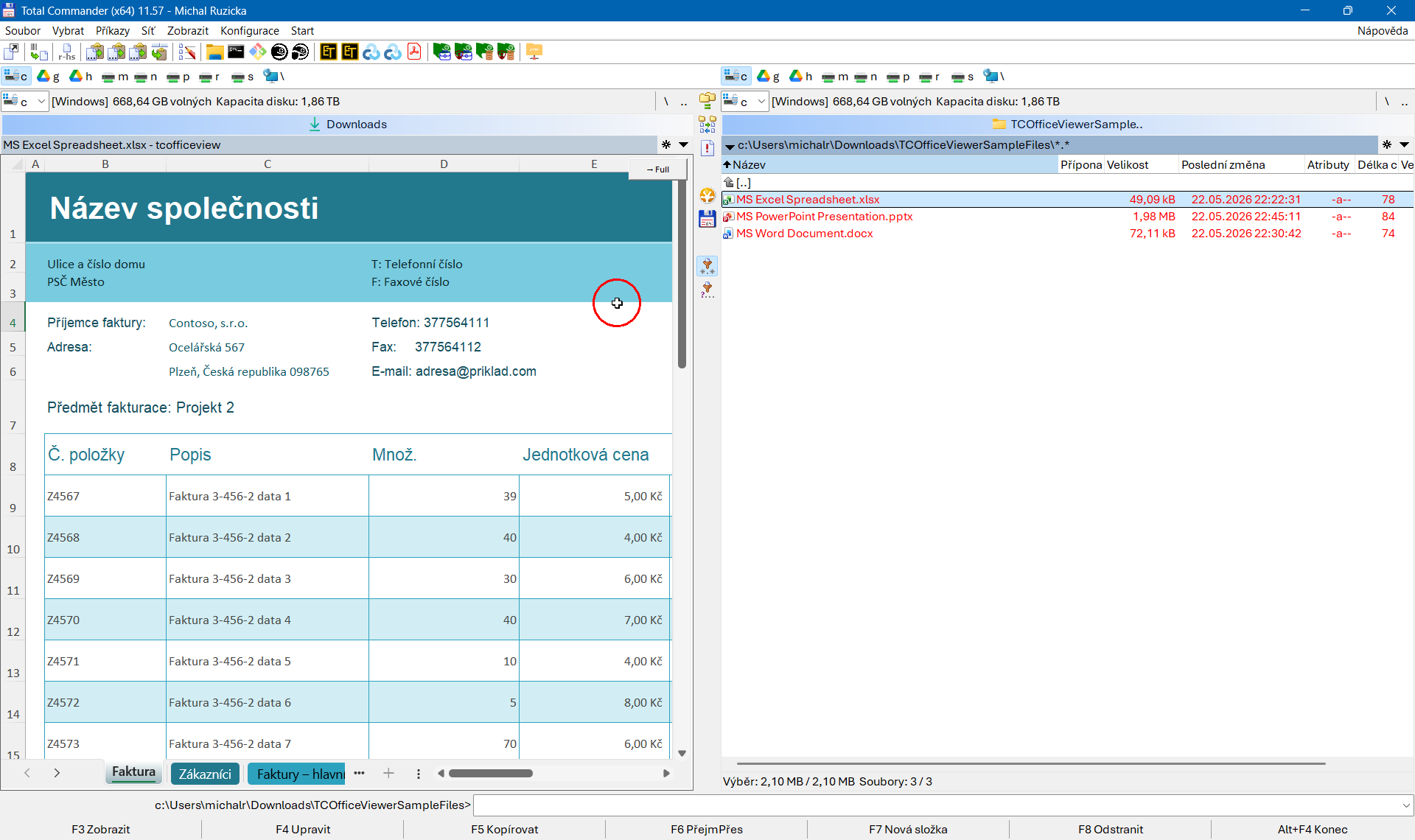
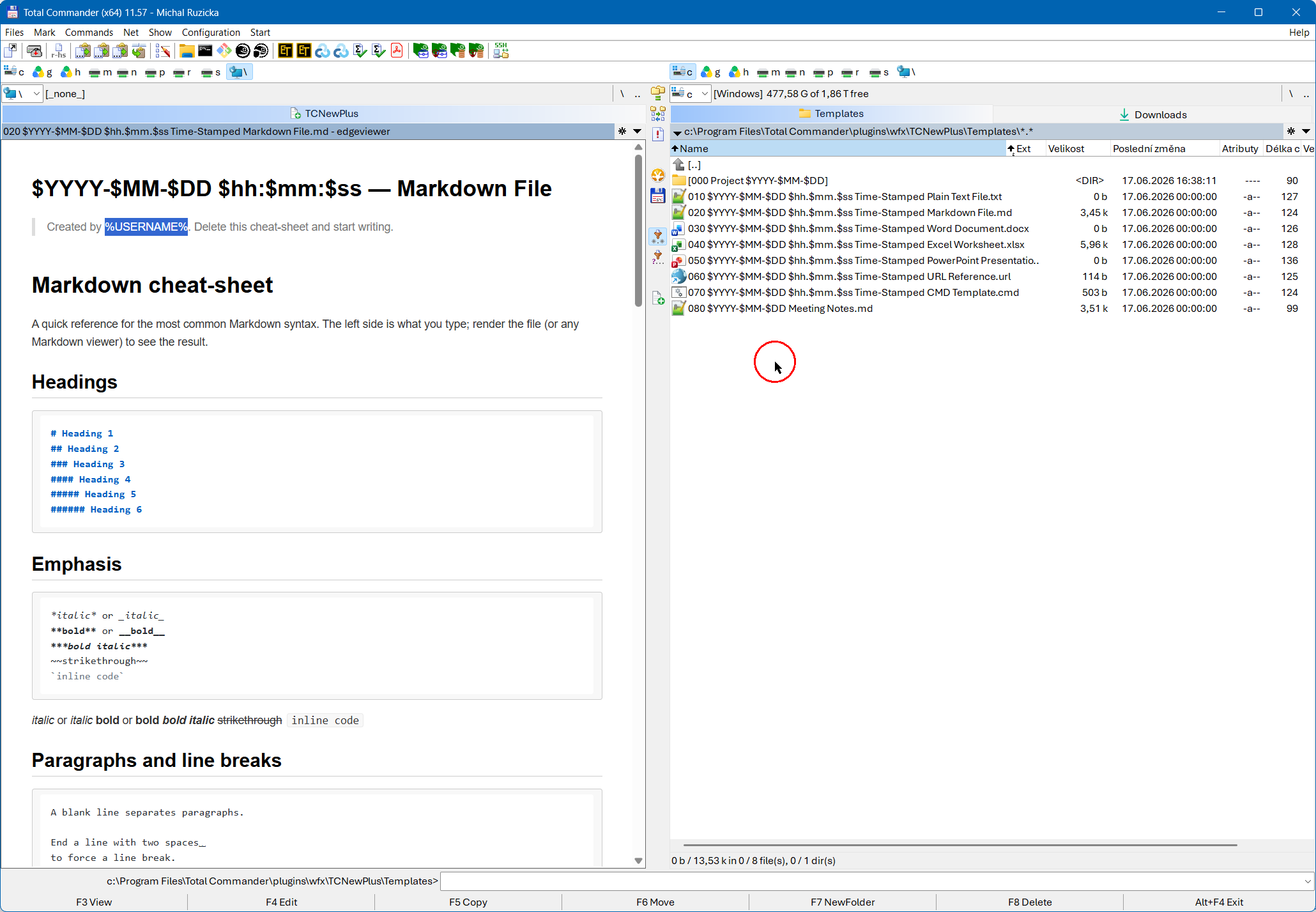
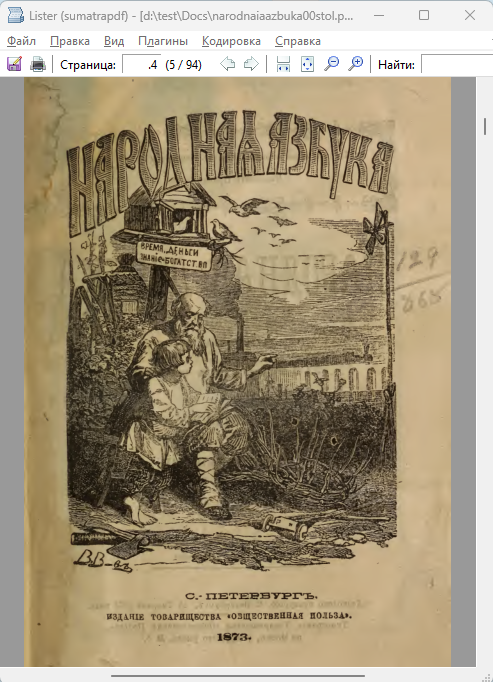
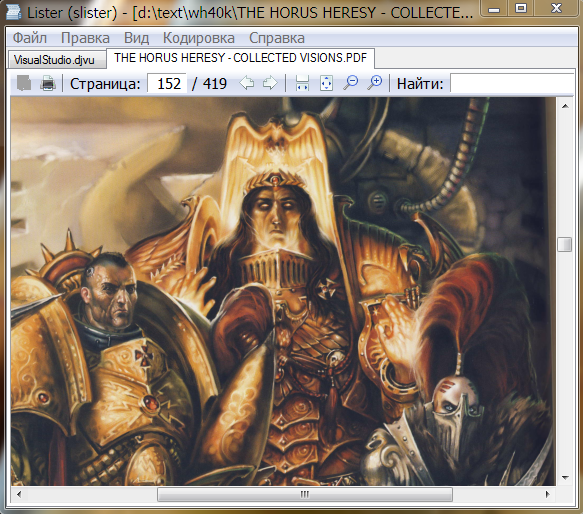
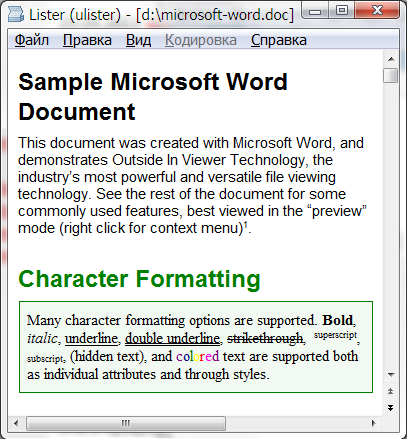
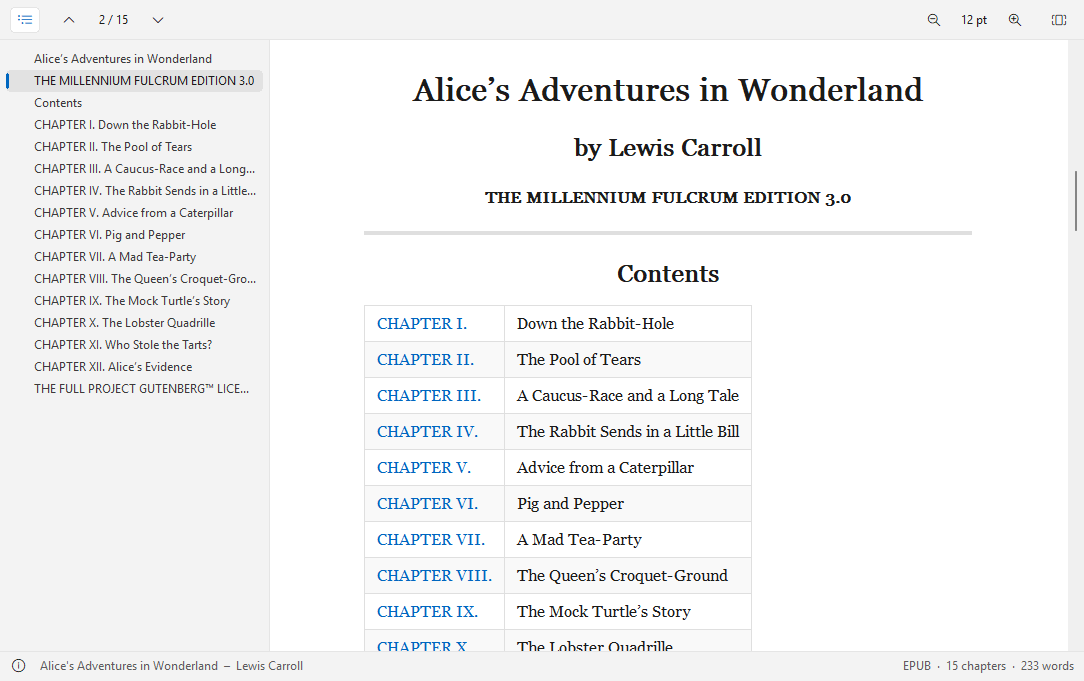
eReader – просмотрщик PDF, электронных книг и комиксов (плагин Lister) для Total Commander, 32 и 64 битeReader показывает PDF-документы, электронные книги и комиксы в Lister (F3) Total Commander – быстро и с малым потреблением памяти, с оглавлением, поиском по тексту, ссылками и тёмным оформлением. Страницы PDF отрисовываются средствами самой Windows, электронные книги выводятся как текст, перетекающий в удобную для чтения колонку. Нативный плагин, без среды выполнения, ничего не нужно устанавливать, кроме самого плагина.
Поддерживаемые файлы
- PDF: .pdf (в том числе защищённые паролем и повреждённые файлы)
- EPUB: .epub, .kepub
- FictionBook: .fb2, .fbz
- Mobipocket и Kindle: .mobi, .azw, .azw3, .prc, .pdb (MOBI 6, KF8, PalmDOC; книги с DRM показать нельзя)
- Комиксы: .cbz, .cbr, .cb7
Возможности
- Оглавление на боковой панели (F12): закладки PDF, главы и заголовки электронных книг.
- Кликабельные ссылки: переходы внутри документа, возврат по Alt+Left, веб-адреса открываются в браузере.
- Переход к странице или главе (Ctrl+G), счётчик страниц на панели инструментов, позиция в заголовке Lister.
- PDF: по ширине (Ctrl+1), по странице (Ctrl+2), реальный размер (Ctrl+0), масштаб по Ctrl+плюс/минус или Ctrl+колесо мыши; страницы разного размера подгоняются каждая по отдельности.
- Электронные книги: увеличение и уменьшение текста (Ctrl+плюс/минус), выбор шрифта, узкая колонка текста, изображения, таблицы и сноски.
- Выделение и копирование текста (Ctrl+A, Ctrl+C), в том числе в PDF с текстовым слоем.
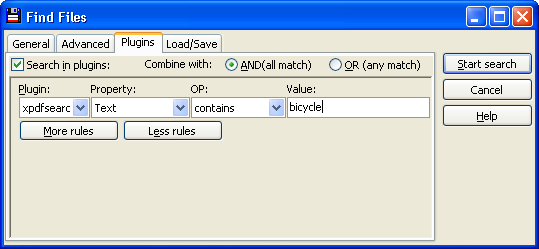
- Поиск через Find (F7) Total Commander
- Миниатюры для режима миниатюр Total Commander (обложка или первая страница).
- Светлое и тёмное оформление (автоматически как в Windows или фиксированное) в стиле Windows 11; в тёмном режиме страницы PDF тоже можно затемнять (Ctrl+D).
- Страницы отрисовываются в фоновом режиме: Lister остаётся отзывчивым даже с большими книгами.
- Строка состояния с названием, автором, форматом, числом страниц или глав.
- Интерфейс на английском и немецком языках (в зависимости от языка Windows).
Установка
Откройте eReader.zip в Total Commander и подтвердите установку. Настройки хранятся в eReader.ini рядом с плагином.
Требования
Total Commander 32 или 64 бит, Windows 10 или 11.
Разработчик: Ali Naderi – digitalent.dev
Freeware: можно бесплатно использовать и распространять без изменений; продажа запрещена.
Что нового
1.11.2 (2026-11-10)
- Fixed: pictures in e-books follow the book's alignment (left, right, page text-align); books without any alignment keep their centered pictures.
- Fixed: a style sheet beginning with @charset no longer hides its first rule (usually the body rule)
1.11.1 (2026-11-09)
- Fixed: the Find dialog (Ctrl+F / F7) finds capital letters with accents and umlauts when "Match case" is off (the toolbar search and regular expressions too)
- Fixed: "Pictures in original colours" on dark PDF pages also finds pictures that Chrome-printed PDFs draw as a pattern fill
1.11.0 (2026-11-09)
- Search finds umlauts that a PDF stores as letter + combining accent (and the other way round)
- SVG pictures in e-books (external and inline, e.g. MathJax formulas) are drawn
- Right-click a picture in an e-book: copy it or save it as a file
- Book info (F1): the book's cover is shown, and the text can be copied (button or Ctrl+C)
- Fixed: the link tooltip no longer stays on screen after clicking a link
1.10.0 (2026-11-07)
- New ".*" button next to the arrows of the toolbar search: search with regular expressions (ECMAScript syntax, e.g., \d+ or \bword\b) in PDFs and e-books; remembered as SearchRegex= in eReader.ini; an invalid expression turns the field red
1.9.1 (2026-11-07)
- New: SearchKey= in eReader.ini sets the shortcut that jumps to the toolbar search field: a letter or digit (used with Ctrl, default F), Ctrl+Shift+F, or empty to leave Ctrl+F to Total Commander.
- Fix: after a search the mouse pointer could stay a text cursor over the toolbar; the toolbar now always shows the arrow.
1.9.0 (2026-11-07)
- New: Pictures in original colours (optional): on dark PDF pages, colour photos and illustrations keep their colours instead of being darkened, while text, line art and scans are darkened as before. Switch it on in the context menu (Theme > Pictures in original colours) or with KeepImages=1 in eReader.ini. Off by default.
1.8.0 (2026-11-07)
- New: Search in the toolbar (optional): a search field with arrows for the previous and next match, or a search button that shows and hides the field. Enter = next match, Shift+Enter = previous, Ctrl+F jumps to the field. Off by default; switch it on with Search=1 (field) or Search=2 (button) in eReader.ini.
1.7.2 (2026-11-06)
- Fix: in PDFs with very large pages (e.g. big-format flyers) the viewer could keep re-rendering the neighbouring page again and again, in an endless loop that used CPU although nothing changed. A page that does not fit into the render cache is no longer prefetched.
- New: HistoryFile= in eReader.ini moves the file with the remembered pages to another place (e.g. %APPDATA%\eReader_history.ini); a relative path starts at the folder of eReader.ini.
1.7.1 (2026-11-04)
- eReader shows PDF, EPUB, FB2/FB3, MOBI/AZW3 and comic book files (CBZ, CBR, CB7, CBT) in Total Commander's Lister (F3) – fast and with little memory, with table of contents, text search, links and a dark design. PDF pages are rendered by Windows itself, e-books are laid out as flowing text in a comfortable reading column. Native, no runtime, nothing to install besides the plugin.
1.7.0 (2026-11-04)
- Remembers where you stopped: when you open a file again it shows the page (PDF, comics) or chapter (e-books) you were reading. The positions of the last 200 files are kept in eReader.ini; switch it off with RememberPage=0.
1.6.5 (2026-11-03)
- Fix: dark blue (and other blue) text in PDFs looked washed out in the light theme because eReader lightened every saturated blue meant for link colors. In the light theme the colors of the document are now shown unchanged (the dark theme still lightens blues so they stay readable).
- Fix: with the text cursor on, Ctrl+Home and Ctrl+End now always go to the very top and bottom of a PDF, also when it starts or ends with images, and in scanned PDFs without any text (before, they only went to the first or last text position or did nothing).
1.6.3 (2026-11-01)
- Fix: with the text cursor on, Page up / Page down did nothing once the cursor was on a page without text (for example a page that only holds an image). They now keep scrolling, and in single page mode they move to the next or previous page.
1.6.2. (2026-10-31)
- Zoom in single page mode: zooming (buttons, Ctrl+plus/minus, Ctrl+mouse wheel) now keeps one page on the screen and enlarges or shrinks it, instead of switching back to continuous scrolling. Single page mode now also works with a fixed zoom (not with Fit width), and the toolbar button and Ctrl+3 are available there<br>
- Fix: in single page mode a page that is narrower than the widest page of the document sat off-centre when zoomed; each page is now centred on its own width<br>
1.6.2 (2026-10-31)
- Zoom in single page mode: zooming (buttons, Ctrl+plus/minus, Ctrl+mouse wheel) now keeps one page on the screen and enlarges or shrinks it, instead of switching back to continuous scrolling. Single page mode now also works with a fixed zoom (not with Fit width), and the toolbar button and Ctrl+3 are available there<br>
- Fix: in single page mode a page that is narrower than the widest page of the document sat off-centre when zoomed; each page is now centred on its own width<br>
1.6.1 (2026-10-31)
- Printing: the print dialog now offers a page range (e.g. 3-5,9). In PDFs and comics it opens with the page you are viewing; in e-books the range refers to the printed pages
1.6.0 (2026-10-31)
- Continuous scrolling on/off (PDF, comics): with Fit page, a new toolbar button (or Ctrl+3, or the context menu) switches off continuous scrolling. One page is then shown at a time, and the mouse wheel and arrow keys turn the page at its edge (SinglePage in eReader.ini)
- Printing: File > Print opens the printer dialog; PDF and comic pages are fitted to the paper, e-books are printed chapter by chapter in print layout
- Fix: in PDFs that use the standard fonts (Helvetica, Arial, Times) without a width table, the selection highlight was too narrow and left the last characters of a line unmarked – copying always worked, the highlight now covers the whole text
1.4.0 (2026-10-30)
- Buttons: the toolbar can now sit at the top (default), as a status bar at the bottom next to the info button, or be hidden – Buttons in the context menu (Buttons in eReader.ini)
- MOBI/AZW: unprotected eReader (PDB) books are shown as plain text
1.3.0 (2026-10-29)
- New formats: FictionBook 3 (.fb3) and tar comic archives (.cbt)
- Text cursor (Ctrl+K, like caret browsing in a browser): the arrow keys, Home/End, Page Up/Down and Ctrl+arrows move a cursor through the text, Shift extends the selection – in PDFs and e-books. The choice is remembered (TextCursor in eReader.ini)
- MOBI/AZW: covers of books with DRM are now shown as thumbnails, and a missing or wrong index of the first picture no longer hides the cover
1.2.3 (2026-10-28)
- PDF: fixed PDFs that were shown as a blank white page, for example forms exported from Figma. Their page mask uses colours without a colour space, which Windows renders as fully transparent. If the first rendered tile of a document is completely white, eReader now renders it again from a repaired copy
- PDF: saturated blue (typically links) is easier to read: pale blue (#cfe2f1) on dark pages instead of a dark blue, and a softer, more pastel blue on light pages
1.2.1 (2026-10-27)
- Rotate pages: new toolbar button (and Ctrl+R / Ctrl+Shift+R) turns the current page or all pages of a PDF or comic book, clockwise or counter-clockwise – handy for scans that are sideways or upside down. The button's menu can reset the rotation
- Settings: the keys of eReader.ini are now documented – in the new readme.txt inside the ZIP and in the README (Settings)
- MOBI / PRC / AZW covers: if a book has no (or a wrong) cover entry, the thumbnail now uses the first picture of the book instead of showing nothing
1.2.0 (2026-10-27)
- Book info: the info dialog (F1, the info button or Info in the context menu) now shows the book's data: title, author(s), series, publisher, date, language, ISBN, subjects, description, format, size and file – from EPUB, FictionBook and MOBI/AZW3 metadata and the PDF document properties
- Toolbar: the status bar is gone, so the whole window is for reading; the info button now sits at the right end of the toolbar
- Tooltips: every toolbar button has one now, and a link under the mouse shows its target as a tooltip
1.1.0 (2026-10-25)
- Comic books: .cbr and .cb7 are now supported (pages and thumbnails), using the UnRAR and 7-Zip libraries of Total Commander (UNRAR64.DLL and TC7Z64.DLL in its folder; UNRAR.DLL and TC7Z.DLL for 32 bit)
- Theme: new entry Like Total Commander – follows only Total Commander's dark mode, not Windows
- FictionBook: the cover is shown at the start of the book, and pictures with a size in their style (e.g. width:2%) are drawn at that size
- The icons for Fit width and Fit page in the toolbar were swapped and are now right
- Fixed: pictures in e-books follow the book's alignment (left, right, page text-align); books without any alignment keep their centered pictures.
- Fixed: a style sheet beginning with @charset no longer hides its first rule (usually the body rule)
1.11.1 (2026-11-09)
- Fixed: the Find dialog (Ctrl+F / F7) finds capital letters with accents and umlauts when "Match case" is off (the toolbar search and regular expressions too)
- Fixed: "Pictures in original colours" on dark PDF pages also finds pictures that Chrome-printed PDFs draw as a pattern fill
1.11.0 (2026-11-09)
- Search finds umlauts that a PDF stores as letter + combining accent (and the other way round)
- SVG pictures in e-books (external and inline, e.g. MathJax formulas) are drawn
- Right-click a picture in an e-book: copy it or save it as a file
- Book info (F1): the book's cover is shown, and the text can be copied (button or Ctrl+C)
- Fixed: the link tooltip no longer stays on screen after clicking a link
1.10.0 (2026-11-07)
- New ".*" button next to the arrows of the toolbar search: search with regular expressions (ECMAScript syntax, e.g., \d+ or \bword\b) in PDFs and e-books; remembered as SearchRegex= in eReader.ini; an invalid expression turns the field red
1.9.1 (2026-11-07)
- New: SearchKey= in eReader.ini sets the shortcut that jumps to the toolbar search field: a letter or digit (used with Ctrl, default F), Ctrl+Shift+F, or empty to leave Ctrl+F to Total Commander.
- Fix: after a search the mouse pointer could stay a text cursor over the toolbar; the toolbar now always shows the arrow.
1.9.0 (2026-11-07)
- New: Pictures in original colours (optional): on dark PDF pages, colour photos and illustrations keep their colours instead of being darkened, while text, line art and scans are darkened as before. Switch it on in the context menu (Theme > Pictures in original colours) or with KeepImages=1 in eReader.ini. Off by default.
1.8.0 (2026-11-07)
- New: Search in the toolbar (optional): a search field with arrows for the previous and next match, or a search button that shows and hides the field. Enter = next match, Shift+Enter = previous, Ctrl+F jumps to the field. Off by default; switch it on with Search=1 (field) or Search=2 (button) in eReader.ini.
1.7.2 (2026-11-06)
- Fix: in PDFs with very large pages (e.g. big-format flyers) the viewer could keep re-rendering the neighbouring page again and again, in an endless loop that used CPU although nothing changed. A page that does not fit into the render cache is no longer prefetched.
- New: HistoryFile= in eReader.ini moves the file with the remembered pages to another place (e.g. %APPDATA%\eReader_history.ini); a relative path starts at the folder of eReader.ini.
1.7.1 (2026-11-04)
- eReader shows PDF, EPUB, FB2/FB3, MOBI/AZW3 and comic book files (CBZ, CBR, CB7, CBT) in Total Commander's Lister (F3) – fast and with little memory, with table of contents, text search, links and a dark design. PDF pages are rendered by Windows itself, e-books are laid out as flowing text in a comfortable reading column. Native, no runtime, nothing to install besides the plugin.
1.7.0 (2026-11-04)
- Remembers where you stopped: when you open a file again it shows the page (PDF, comics) or chapter (e-books) you were reading. The positions of the last 200 files are kept in eReader.ini; switch it off with RememberPage=0.
1.6.5 (2026-11-03)
- Fix: dark blue (and other blue) text in PDFs looked washed out in the light theme because eReader lightened every saturated blue meant for link colors. In the light theme the colors of the document are now shown unchanged (the dark theme still lightens blues so they stay readable).
- Fix: with the text cursor on, Ctrl+Home and Ctrl+End now always go to the very top and bottom of a PDF, also when it starts or ends with images, and in scanned PDFs without any text (before, they only went to the first or last text position or did nothing).
1.6.3 (2026-11-01)
- Fix: with the text cursor on, Page up / Page down did nothing once the cursor was on a page without text (for example a page that only holds an image). They now keep scrolling, and in single page mode they move to the next or previous page.
1.6.2. (2026-10-31)
- Zoom in single page mode: zooming (buttons, Ctrl+plus/minus, Ctrl+mouse wheel) now keeps one page on the screen and enlarges or shrinks it, instead of switching back to continuous scrolling. Single page mode now also works with a fixed zoom (not with Fit width), and the toolbar button and Ctrl+3 are available there<br>
- Fix: in single page mode a page that is narrower than the widest page of the document sat off-centre when zoomed; each page is now centred on its own width<br>
1.6.2 (2026-10-31)
- Zoom in single page mode: zooming (buttons, Ctrl+plus/minus, Ctrl+mouse wheel) now keeps one page on the screen and enlarges or shrinks it, instead of switching back to continuous scrolling. Single page mode now also works with a fixed zoom (not with Fit width), and the toolbar button and Ctrl+3 are available there<br>
- Fix: in single page mode a page that is narrower than the widest page of the document sat off-centre when zoomed; each page is now centred on its own width<br>
1.6.1 (2026-10-31)
- Printing: the print dialog now offers a page range (e.g. 3-5,9). In PDFs and comics it opens with the page you are viewing; in e-books the range refers to the printed pages
1.6.0 (2026-10-31)
- Continuous scrolling on/off (PDF, comics): with Fit page, a new toolbar button (or Ctrl+3, or the context menu) switches off continuous scrolling. One page is then shown at a time, and the mouse wheel and arrow keys turn the page at its edge (SinglePage in eReader.ini)
- Printing: File > Print opens the printer dialog; PDF and comic pages are fitted to the paper, e-books are printed chapter by chapter in print layout
- Fix: in PDFs that use the standard fonts (Helvetica, Arial, Times) without a width table, the selection highlight was too narrow and left the last characters of a line unmarked – copying always worked, the highlight now covers the whole text
1.4.0 (2026-10-30)
- Buttons: the toolbar can now sit at the top (default), as a status bar at the bottom next to the info button, or be hidden – Buttons in the context menu (Buttons in eReader.ini)
- MOBI/AZW: unprotected eReader (PDB) books are shown as plain text
1.3.0 (2026-10-29)
- New formats: FictionBook 3 (.fb3) and tar comic archives (.cbt)
- Text cursor (Ctrl+K, like caret browsing in a browser): the arrow keys, Home/End, Page Up/Down and Ctrl+arrows move a cursor through the text, Shift extends the selection – in PDFs and e-books. The choice is remembered (TextCursor in eReader.ini)
- MOBI/AZW: covers of books with DRM are now shown as thumbnails, and a missing or wrong index of the first picture no longer hides the cover
1.2.3 (2026-10-28)
- PDF: fixed PDFs that were shown as a blank white page, for example forms exported from Figma. Their page mask uses colours without a colour space, which Windows renders as fully transparent. If the first rendered tile of a document is completely white, eReader now renders it again from a repaired copy
- PDF: saturated blue (typically links) is easier to read: pale blue (#cfe2f1) on dark pages instead of a dark blue, and a softer, more pastel blue on light pages
1.2.1 (2026-10-27)
- Rotate pages: new toolbar button (and Ctrl+R / Ctrl+Shift+R) turns the current page or all pages of a PDF or comic book, clockwise or counter-clockwise – handy for scans that are sideways or upside down. The button's menu can reset the rotation
- Settings: the keys of eReader.ini are now documented – in the new readme.txt inside the ZIP and in the README (Settings)
- MOBI / PRC / AZW covers: if a book has no (or a wrong) cover entry, the thumbnail now uses the first picture of the book instead of showing nothing
1.2.0 (2026-10-27)
- Book info: the info dialog (F1, the info button or Info in the context menu) now shows the book's data: title, author(s), series, publisher, date, language, ISBN, subjects, description, format, size and file – from EPUB, FictionBook and MOBI/AZW3 metadata and the PDF document properties
- Toolbar: the status bar is gone, so the whole window is for reading; the info button now sits at the right end of the toolbar
- Tooltips: every toolbar button has one now, and a link under the mouse shows its target as a tooltip
1.1.0 (2026-10-25)
- Comic books: .cbr and .cb7 are now supported (pages and thumbnails), using the UnRAR and 7-Zip libraries of Total Commander (UNRAR64.DLL and TC7Z64.DLL in its folder; UNRAR.DLL and TC7Z.DLL for 32 bit)
- Theme: new entry Like Total Commander – follows only Total Commander's dark mode, not Windows
- FictionBook: the cover is shown at the start of the book, and pictures with a size in their style (e.g. width:2%) are drawn at that size
- The icons for Fit width and Fit page in the toolbar were swapped and are now right
Предыдущие версии
- 1.11.1 09.11.2026 Скачать 1,2 МБ
- 1.11.0 09.11.2026 Скачать 1,1 МБ
- 1.10.1 07.11.2026 Скачать 1,1 МБ
- 1.9.1 07.11.2026 Скачать 1004 КБ
- 1.9.0 07.11.2026 Скачать 1002 КБ
- 1.8.0 07.11.2026 Скачать 985 КБ
- 1.7.2 06.11.2026 Скачать 983 КБ
- 1.7.1 04.11.2026 Скачать 982 КБ
- 1.7.0 04.11.2026 Скачать 1010 КБ
- 1.6.5 03.11.2026 Скачать 976 КБ
- 1.6.3 01.11.2026 Скачать 976 КБ
- 1.6.2. 31.10.2026 Скачать 976 КБ
- 1.6.2 31.10.2026 Скачать 976 КБ
- 1.6.1 31.10.2026 Скачать 976 КБ
- 1.6.0 31.10.2026 Скачать 974 КБ
- 1.4.0 30.10.2026 Скачать 962 КБ
- 1.3.0 29.10.2026 Скачать 957 КБ
- 1.2.3 28.10.2026 Скачать 928 КБ
- 1.2.1 27.10.2026 Скачать 918 КБ
- 1.2.0 27.10.2026 Скачать 909 КБ
- 1.1.0 25.10.2026 Скачать 885 КБ
- 1.0.0 24.10.2026 Скачать 854 КБ